
- Page II -
Sunday, October 24, 2010
See a Random Street View Location
Click the MapCrunch Go button and you’ll be transported to a random (Google Street View covered) place in the world. [Via Reddit.]
Friday, October 22, 2010
App Stores Scope Illustrated
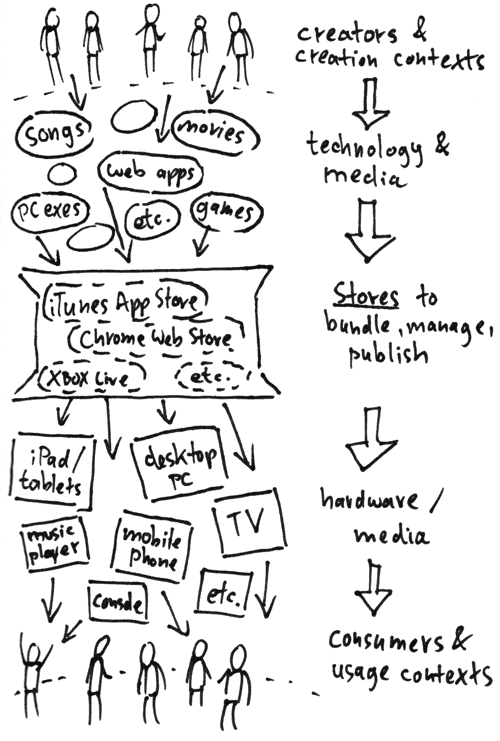
Creator & creation contexts could be single creator, team, crowdmade, automatically generated, indie publisher vs big studio etc. Consumer & usage contexts could be single player game, two-player game, app which needs a certain setting to work and so on.
Let’s give two specific examples. One is for one of the two-player iPad games which I recently do at VersusPad.com. The other will be for the fictional game Flora vs Corpses. Let’s start with the iPad game City Bucks:
City Bucks
Creator: Developer (relying on community help, like copyright-free material or forum help)
↓ Technology & Media: HTML and JavaScript with PhoneGap
↓ Stores: Apple App Store
↓ Hardware/ Media: iPad
Consumer context: Two-player
Several questions the creator should ask when looking at above distribution path:
- Can the same technology be potentially distributed in other stores? Can the creation be accessed without any store? Who owns the creation, does the store own anything?
- Can the same technology be potentially distributed to other hardware?
Using HTML and JavaScript, for instance, there is no theoretical reason City Bucks shouldn’t also work in future competing app stores, on competing similar tablets... it may need no app store at all in theory. Make a game in Apple’s Objective-C, on the other hand, and you’ll have more troubles or costs switching (but also a much faster framework with potentially many more room for effects!). Also, right now, Apple doesn’t City Bucks, though they will get 30% if it’s ever going from free to paid. The game cannot be downloaded outside of Apple’s store at the moment... it relies on a specific iPad context, so putting it on the web, while technically possile, isn’t useful right now.
It’s worth noting that app store interests and creator interests are not necessary always aligned: a creator might want to publish to as many devices as possible at the same time, while a store might want to publish only to their devices (though perhaps the nicest behaving, most cross-media store will also attract the most developers one day).
Another example:
Flora vs Corpses
Creator: Team
↓ Technology & Media: Flash | Objective-C | Java
↓ Stores: Android Marketplace | Apple App Store | (plus on the web, no store needed at all)
↓ Hardware/ Media: Android phones | iPhone | iPads | web browsers
Consumer context: Casual single-player
As seen from the side:

A successful app store of the future might want to try to get as many technology & media from above distributed to as many different hardware and media below. Why shouldn’t I be able to listen to my songs on the TV, to play the game which I played in my browser last on my console today, or to use the same app I bought on both my desktop as well as my mobile phone? On the other hand, there may also be apps needing specifc hardware for their core usage... like a game which requires a multitouch interface to feel right. An app store might also want to gain trust by not allowing all creations, and not allowing low-quality devices that may disappoint users.
Wednesday, October 20, 2010
Corona, framework for creating iPhone/ Android/ iPad apps
Corona is a development framework for creating apps for iPhone, Android and iPad, and from the first glance over the site I had just now it looks terrific. You will find API references, YouTube tutorial videos, Lua code samples download, a help forum, developer interviews, trial downloads and more at the site.
Friday, October 15, 2010
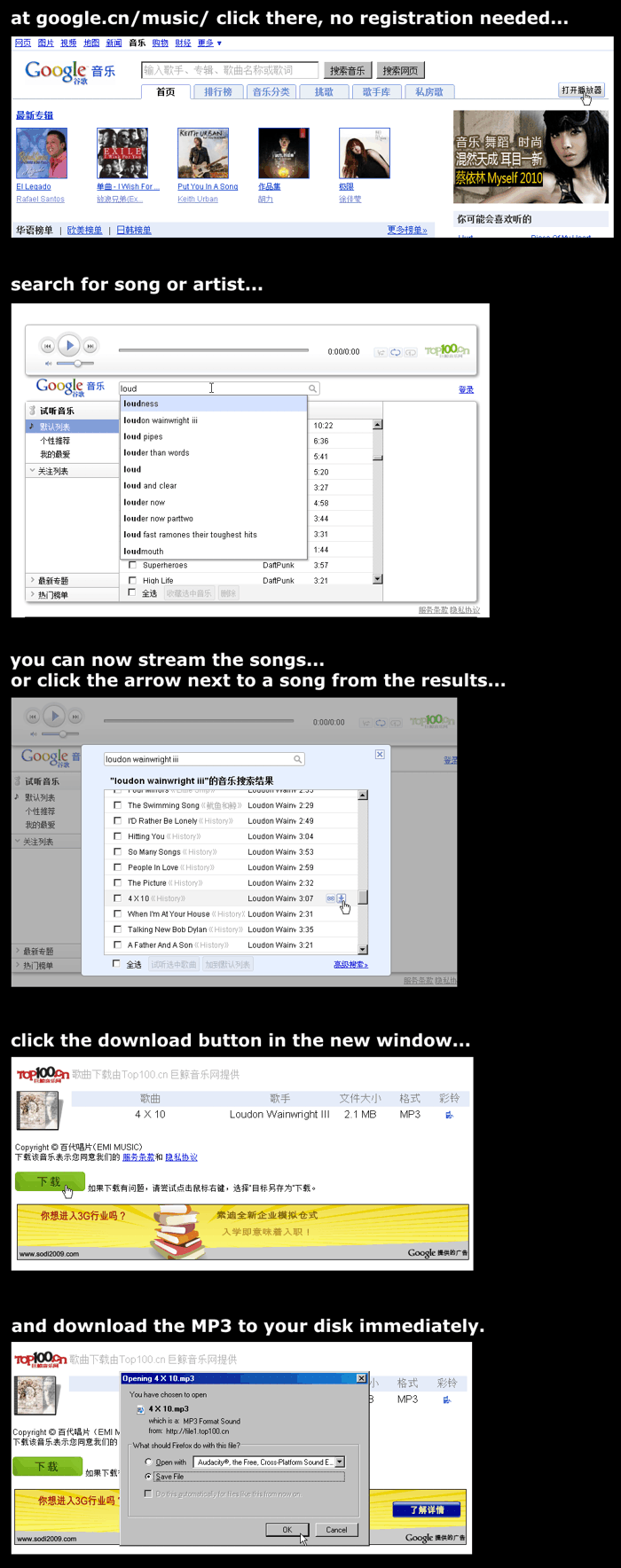
Google Music in China... the way it should be everywhere.
Software removes objects from video in real-time

KurzweilAI writes:
Researchers at Technical University of Ilmenau in Germany have developed “diminished reality” software that can delete an object from live, full-motion video.
The software first reduces the resolution of the object, removes the image, and improves the result (similar to using a smudge tool in Photoshop), then incrementally increases the resolution, improving the result, until the original resolution is restored.
It repeats that for each frame of the video in real time, delivering the final image in 40 ms.
To remove an object, you need to draw a lasso around it. I suppose the next step is to replace the diminished object by something better using augmented reality 3D, and then build the whole thing into a pair of glasses for us to wear.
[Via Boing Boing.]
How to immediately subscribe to replies to question in Google Groups?
When I ask a question in a Google Groups forum, how can I subscribe to replies immediately? Right now, after posting, the message “disappears” into the queue and won’t show immediately. After some time (a minute or two I guess, during which you unfortunately also won’t know the permalink), it will show, upon which you can go to the message and edit your options to “Email updates to me”. Is there a way to do this immediately?
(Why is there such a delay in Google Groups anyway, does anyone know?)
Tuesday, September 28, 2010
Say What!? - An HTML5 speech game
Pau Tomàs in the forum writes:
Last thursday I attended Madrid’s Google Devfest and one of the things I liked the most was one of the latest additions to Google Chrome, the speech attribute on the input fields. It allows to fill form fields using the microphone (without Flash!) and Google technology for speech recognition.
I wanted to play a little with the techonology so I created a game as a weekend project. It shows you one random title from a Wikipedia article (using its API) and asks you to read it aloud so it can compare what you said with the given phrase. Since Google speech recognition is far from perfect (specially if you have a non-US accent) the results may vary, but I think it’s funny anyway.
You can try it at nekojs.com/html5/speech.html but you’ll need one of the latest Chrome builds in order to test it (and I think it only works on Mac and Windows right now).
Since I know that some of you like this kind of games on the web I hope you can give me some feedback and ideas for improving.
Thanks!
Monday, September 27, 2010
Beyond Diaspora: Another Facebook alternative has a head start
By Danny "DPic" Piccirillo
Tension has been mounting for some time between Facebook and its increasingly unhappy users[1]. As the web giant commits one breach of trust after another with no intention of maintaining what level privacy is left for its users, the online world itches for a suitable alternative. While Facebook was able to swiftly supplant MySpace’s monopoly with their own, a much more successful one at that, it will take more than a better competitor to penetrate this market: it will take a better way of social networking altogether, one that, architected upon the same principles of confederation and openness, harmonizes with the nature of the internet itself.
If history is any indication, the current climate sets the tone for the beginning of Facebook’s decline; it may not be long before we see Facebook dethroned as the de facto social network. Those who would like to escape but still want to be able to easily reach friends, family, and colleagues are locked in because the majority of users are still uninformed or complacent. Yet, even those users seem to understand that there is something wrong, but won’t have enough motivation to move until they can no longer reach enough people on Facebook. It’s a case of everyone wanting or being willing to leave, but only when enough others do so first. This is the key to Facebook’s business model.
Facebook owns the network, and they’re bent on asserting complete control over it to secure their place in our lives.
In the mind of Facebook, locking in users by holding their data captive is equally legitimate to actually making them want to stay, and it means more power for them. The problem is very simple. They own every piece of information about you that either you or your friends knowingly or unknowingly submit to them. They control who can see every bit of it, and they control how you can access it. You can bet when you delete something, it isn’t actually gone, that when you set something to private, there’s nothing to keep it that way, that when you want to see anything on Facebook, you’ll have to do it the way Facebook wants.
It would seem uninteresting to reiterate Facebook’s major abuses, there being just so many of them. Wired shook things up when they published an article titled “Facebook’s Gone Rogue; It’s Time for an Open Alternative”.[2] Soon after, the New York Times covered four NYU students working on a project called Diaspora, and we all know the story from there.[3]
There is no one website that will usurp Facebook’s monopoly in the same way Facebook overtook MySpace. Instead, social networking will undergo a transformation much like the one email did. Email might be simple and old-fashioned, but the beauty of it is that it all works using open standards. It wasn’t always that way, though. AOL and different providers were all “walled gardens” and all it took to break them down was the open standards we take for granted today.[4] Thanks to that, users of Google’s email and Microsoft’s email, Riseup’s email and my home-run email server can all talk to each other without needing an account on the same provider.
Now we can imagine a federated social network in much the same way. My Diaspora account can connect with your Unfacebook account, can connect to Richard’s Notmyspace account, and every bit of communication can happen flawlessly between them. This is called federation. We can even take things one step further, and if you don’t like the photo hosting that comes with your Unfacebook account, you could sign up for Deflickr and tie that into your profile. This way, not only can different services talk to each other, but even the different components can be distributed.
There are many such projects, but thus far Diaspora seems to be the only one to garner widespread attention. The developers were able to achieve instant popularity and raise twenty times their initial goal of $10K because to most people, Diaspora is the only project working towards this goal. It’s main asset right now seems to be mindshare, but it’s uncertain how much promise it holds beyond that. With the recent release of their pre-alpha source code, it immediately became apparent just how many security holes and problems are blocking the project.[5][6] It will take a lot of work to fix and will almost certainly be impossible to make their public release as planned.[7] Still, that isn’t to say the project isn’t worth supporting. It absolutely is, but it is not the only one you should know about.
What if there was another effort underway to create a federated social network, but based on a project that has already successfully been incorporated into the business of a Fortune 500 company, implemented in multiple public instances with tens of thousands of users, received funding which totals at a cool $2.3 million, and most importantly, already works with federation?[8][9] The effort is called GNU social, and the project it’s being built on is StatusNet.
StatusNet is a free software, aka “open source”, microblogging platform (e.g. Twitter). It successfully federates, and better yet, Diaspora has promised to implement OStatus, the same set of standards used by StatusNet so that if and when Diaspora goes public, users on each will be able to connect with each other seamlessly. Diaspora also promised to be free software under the GNU AGPL, same as StatusNet.[10] The most popular public instance is Identi.ca and you can sign up to try it for yourself. StatusNet alone may be a suitable replacement for Twitter, but by itself it doesn’t provide the same functionality as Facebook.
This is where GNU Social comes in. GNU social aims to extend the StatusNet to provide the capabilities of a full social network. It will incorporate additional features for controlling privacy settings and sharing pictures or video, and it will display all of this in an interface that’s designed not for a microblogging site, but rather for a complete social networking site. The distinction between GNU social and StatusNet is a bit confusing as they has a unique relationship: when development on the original version of GNU social stalled, the developers looked for another codebase to work on. The result was the social/status alliance, between GNU social and StatusNet. Both projects are co-dependent and contain code from either other, thanks in no small part to the hard work of Craig Andrews of GNU social, and Evan Prodromou of StatusNet.
Prospective users should sit tight as more test instances are deployed and GNU social becomes more widely available. Developers, on the other hand, can download the source code to hack on and install on their own servers. Otherwise, anyone can also support the project by purchasing some buttons or a FooPlug, a small plug in server that comes with a current testing version of GNU social. GNU social, StatusNet, and Diaspora may be ants compared to Facebook today, but they have history on their side, and we can expect the emerging standards of projects like these to deliver the open and social web the online world has been waiting for.
1. zdnet.com
2. wired.com
3. nytimes.com
4. techworld.com.au
5. thinq.co.uk
6. theregister.co.uk
7. kalzumeus.com
8. status.net
9. status.net
10. joindiaspora.com
[Licensed under CC.]
Saturday, September 25, 2010
Why is Google’s default to open result links in a new window/ tab? [Update: They do this for google.com *in China*]
... and let’s say Google does it because that’s what most people prefer, then why doesn’t Google permanently remember my account’s search setting that I don’t want them opened in a new window/ tab? (At least that seems to be the behavior I’m getting here.)
Update: It’s apparently Google.com’s default in China. When accessing the same google.com from a US proxy, I don’t get this new-window behavior.
Tuesday, September 21, 2010
Have you tried preparing a web app for the Chrome Web Store?
Has anyone of you started to prepare their web sites and apps for the Chrome Web Store? I mean the thing Google calls “installable web apps”, which is “a normal website with a bit of extra metadata”.
Monday, September 20, 2010
Looxcie, a Camera Recording Everything You See

Looxcie is a ~$200 camera you plug into your ear, which then records everything you see, following your field of vision. Several hours are recorded, with new stuff overwriting the old... and if you saw anything interesting, you click its button and have the last 30 seconds saved and shared on YouTube and other networks. To tune and manage the camera and see the clips you download an app onto an Android phone like Google Nexus.
This looks like a very interesting tool (albeit with a name that could be easier to spell). Often when you get out a camera a) the thing you spotted is already over, or b) people suddenly take on an “official video camera” posture, completely changing what they just did (and babies may just grab for your camera and stop whatever they were doing). Even with Looxcie some people may still ask you what’s that thing in your ear, but as it looks a bit like a mobile phone headset (indeed you can also use it as that) maybe they won’t ask, or adjust their behavior. Well, some may think it looks dorky, but as the saying goes, “no one can make you feel inferior without your permission.”
[Via Andy. Images via Looxcie and Amazon.]
Sunday, September 19, 2010
Google Chrome is pretty cool.
While trying Internet Explorer 9 – Microsoft runs a Reddit ad campaign trying to get some feedback – and running into quirky behavior during installation and browsing, I realized just how much of a great job Google Chrome is doing: it’s lightweight, fast, minimalist, gets out of your way, has a powerful address bar, and its UI even gets more simplified from version to version. I guess the best piece of task-oriented software is the kind that you don’t even notice.
Friday, September 17, 2010
Google Chrome already got rid of the http://, maybe time to get rid of the www. too?
Of course, some tiny percentage of sites may configure www as just another subdomain showing something different than non-www...
What do you think?
Saturday, August 21, 2010
Google the Movie Coming?
According to Deadline...
The founders of Facebook aren’t the only game-changing geeks poised to have their story told on a movie screen. Michael London’s Groundswell Productions has teamed with producer John Morris to acquire movie rights to the Ken Auletta book Googled: The End of the World As We Know it. They will use the book as the blueprint for a feature film that tells the story of Google founders Sergey Brin and Larry Page and the fast rise of the juggernaut web business that made them billionaires. (...)
“It’s about these two young guys who created a company that changed the world, and how the world in turn changed them,” London told me. “The heart of the movie is their wonderful edict, don’t be evil. At a certain point in the evolution of a company so big and powerful, there are a million challenges to that mandate ...”
Also see the completely hypotethical Who’d play Who in Google the Movie.
[Image from the book cover. Thanks Sam!]
Thursday, August 19, 2010
Google CEO Believes That in the Future, We May Be Automatically Allowed to Change Our Names to Escape Online Past
Eric Schmidt talked to the Wall Street Journal:
“I don’t believe society understands what happens when everything is available, knowable and recorded by everyone all the time,” he says. He predicts, apparently seriously, that every young person one day will be entitled automatically to change his or her name on reaching adulthood in order to disown youthful hijinks stored on their friends’ social media sites.
(Would that even be enough to escape online detectives or future AIs which compare portrait photos, analyze a person’s defining sentence structures and word usage, their location, social network connections and so on?)
[Thanks TomHTML!]
German Guy Wants to Photograph Those Buildings People Want to Exclude from Google Street View

Spiegel reports that German photographer and IT consultant Jens Best wants to personally take snapshots of all those (German) buildings which people asked Google Street View to remove. He then wants to add those photos to Picasa, including GPS coordinates, and in turn re-connect them with Google Maps. Jens believes that for the internet “we must apply the same rules as we do in the real world. Our right to take panoramic snapshots, for instance, or to take photographs in public spaces, both base laws which determine that one may photograph those things that are visible from public streets and places.”
Jens says that for his believe in the right of photographing in public places, as last resort he’s even willing to go to jail. Spiegel says Jens already found over 200 people who want to help out in this project and look for removed locations in Google Street View, as there’s no official list of such places published by Google.
Virus Game Attachments, Or Whatever It Is
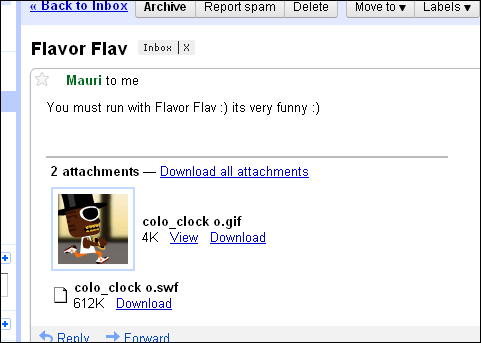
Do these things have a name, and what do they typically do? Gmail is chronically bad at filtering them out (or perhaps they do filter out many but there’s just too much of them). They usually come with an image attached, and as you can see in this case, a SWF attachment.
Wednesday, August 18, 2010
Free Sounds
Looking for free sounds for a project of yours... say, atmospheric background noises, or a dog barking, or laughter, piano music, a squeaking door, or anything else? FreeSounds.org is a great collection of Creative Commons licensed WAVs, MP3, AIFF files and more. You can enter a whole lot of things into their search engine and get back a whole lot of great samples. You can hear a preview for every sound, and for downloading a quick registration will do.
Tuesday, August 17, 2010
Android Developers Lose Money Because Apps Can’t Be Bought In Most Countries, Pingdom Says

Google is talking about fighting piracy, but perhaps the first thing they should focus on is actually making it possible for users to buy apps. All users. Sounds rather logical, doesn’t it? So what are we talking about? The problem lies with Android Market.
You can only pay for apps in 13 out of the 46 or so countries where Android phones are available. For those of you who like stats, 13 in 46 works out to less than 30%. Contrast this with Apple’s App Store, which supports paid apps in 90 countries. This is a huge advantage iPhone developers currently have over Android developers.
Then again, from what I’ve heard in various iPhone-related discussions, selling your app in Apple’s store is also far, far from easy...
[Via Reddit.]
Friday, August 13, 2010
Google’s "Product Flops & Failures" Illustrated
Wordstream created a visual overview of what they call the “Google graveyard”, that is, failed products. On the list are Google X, Google Catalog, Google Buzz and many more. (Nitpick: they call Google Answers the “answer to Yahoo Answers”, though actually, Google Answers was made years before Yahoo Answers.) Then again, if you learn something from a cancelled product, perhaps in the end it won’t have been a failure.
Also see the lost features of Google, and the Google Answers interviews.
Thursday, August 12, 2010
Paul Graham On What Happened to Yahoo

Paul Graham tells what went wrong, from his perspective, with Yahoo. “When I went to work for Yahoo after they bought our startup in 1998, it felt like the center of the world. It was supposed to be the next big thing. It was supposed to be what Google turned out to be ... What went wrong?” According to Paul, “Yahoo had two problems Google didn’t: easy money, and ambivalence about being a technology company.”
[Via Andy.]
Wednesday, August 11, 2010
Ogs, an iPad Two-Player Game

I like the iPad as a casual device in general, but I love it as a two-player gaming device. Think of a board game where the pieces are magically moving... a game you can take to the cafe, to bars, play in the bus, on the train, whereever! With that in mind I created Ogs, which uses the great PhoneGap framework, allowing me to do it all in HTML/ JavaScript/ CSS. Please check out the video, and the game is now in the App Store.
How do you know if you got a two-player game in front of you? I think the litmus test is whether the action of one player will cause a (partially predictable) reaction of the second player. If two people are merely playing at the same time, like on a split screen, but they're not interacting... then you don't have a real two- (or three-, four-) player game.
Even if you don't have a split screen and even if you are affecting what happens on the opponent's side, it's not granted there's any interaction. Imagine a wild west shooting game in which you destroy the bottles on the opponent's side, and your opponent destroys yours. Will there be real interaction? No, because you will not adjust your strategy of shooting the bottles as a result of which of your own bottles will have been destructed. It may be more fun than shooting by your own, but much less fun, I think, than if there were real interaction.
Now what if your action will force the other player to change their moves, but it does so in an unpredictable way? Say you're each shooting into the center of the board where there's colorful pegs popping up, and when they they're being hit, the impact will cause them to be thrown across the board. If this is mostly chaotic movement, then it won't yield semi-predictable reactions from the other party. Which can be much less fun because the game won't help to create a common story about it being told by the players. A story of tactics, defeat, caution, surprise, revenge, friendship and more (for instance, one story could be "I built a defense line here and then you had to save energy in order to advance the devilish thing you call a Left Side Brute Force Maneuver which you tried for the second time in a row but then suddenly..." etc.). A story which is personal to the players and requires creativity, and which isn't necessarily one written or even foreseen by the game creator.
How can one aid such a story being personal to the players? I think a big part is allowing room to make decisions, allow combinations to explode tactical possibilities, as well as having the game design and story being open and even ambiguous in what it represents.
A word-less interface can be one piece of the puzzle -- it's not only automatically cross-language, but it also allows players to come up with their own names for things. Graphics which are rather neutral and unspecific -- which don't depict happiness or sadness, aggression or peacefullness, male or female, which don't depict "stuff girls like" or "stuff parents in India like" or "stuff boys who are into robot battles like" -- may also help. (Not getting in the way with your story also helps making it more casual; for instance, the lack of a title screen allows to just pull the game out anywhere and start playing immediately, to have it really be yours.) The goal is not to have everyone like the game, but to at least not make people who may like this type of game run away because it's aimed at another group. Admittedly, that's just one aspect, and diversity and experimenting may be better than coming up with too many rules restricting the design. And I'd also just love to create a game which has lots of robot battles in it...
[Thanks to the makers of PhoneGap!]
Google CEO On Anonymity
NetworkWorld collected a couple of interesting quotes by Google boss Eric Schmidt on the subject of privacy and anonymity. He states that privacy is important, but shares some doubts over whether complete anonymity should/ will be granted in the future. Bruce Schneier on the other hand argues:
Here’s the problem: The very companies whose CEOs eulogize privacy make their money by controlling vast amounts of their users’ information. Whether through targeted advertising, cross-selling or simply convincing their users to spend more time on their site and sign up their friends, more information shared in more ways, more publicly means more profits. This means these companies are motivated to continually ratchet down the privacy of their services, while at the same time pronouncing privacy erosions as inevitable and giving users the illusion of control.
The Google CEO talked about much more – including the China issues, the economy, and reasons for acquisitions – in a recent interview with CNBC.
Tuesday, August 10, 2010
Google Founders Were Disagreeing Over Interest-based Ads, WSJ Says
Company-internal disagreements are natural and likely healthy but I think it’s interesting what they are about – from the Wall Street Journal:
By late 2008, Google executives were preparing to launch ads targeted at users’ interests. But the specifics still remained controversial.
Tensions erupted during a meeting with about a dozen executives at Google’s Mountain View, Calif., headquarters about 18 months ago when Messrs. Page and Brin shouted at each other over how aggressively Google should move into targeting, according to a person who had knowledge of the meeting. “It was awkward,” this person said. “It was like watching your parents fight.”
Mr. Brin was more reluctant than Mr. Page, this person said. Eventually, he acquiesced and plans for Google to sell ads targeted to people’s interests went ahead.
Google launched the new advertising product, “interest-based ads” in March 2009. The service, currently available only to a limited group of advertisers, uses cookies to track any time a user visits one of the more than one million sites where Google sells display ads.
[Thanks TomHTML!]
Google & Verizon Proposal, and Net Neutrality
Google and Verizon released a proposal relating to net neutrality. They claim their efforts are for an open internet: “[T]here should be a new, enforceable prohibition against discriminatory practices ... Importantly, this new nondiscrimination principle includes a presumption against prioritization of Internet traffic – including paid prioritization. So, in addition to not blocking or degrading of Internet content and applications, wireline broadband providers also could not favor particular Internet traffic over other traffic.”
A user named QuantumBreakfast at Reddit on the other hand remarks:
I’m wary of them differentiating between a ’public internet’ and other services in the fifth section and the Q&A portion of the announcement. It seems to me that the implementation of such services degrades the quality of the ’public internet’ by channeling funds towards them rather than the advancement of the public infrastructure, which is contrary to the rest of their announcement. I kind of shuddered when I saw “new entertainment and gaming options” tacked on to that statement.
Also, this entire announcement of supporting net neutrality only applies to “legal” and “lawful” services. So if something is deemed unlawful, none of these policies apply and the ISP has permission to nuke its bandwidth from orbit. Again, there are escape clauses all over the place.
A commenter at Google’s blog named Systemaddict argues that the part reading “wireline broadband providers would not be able to discriminate against or prioritize lawful Internet content, applications or services in a way that causes harm to users or competition” (my emphasis) means that “centralized agencies can shut down – or degrade access – to ’unlawful’ (defined by US government) content such as wikileaks, etc.”
A user named Animalk points out the following portion from the Scribd document (emphasized):
A provider that offers a broadband Internet access service complying with the above principles could offer any other additional or differentiated services. Such other services would have to be distinguishable in scope and purpose from broadband Internet access service, but could make use of or access Internet content, applications or services and could include traffic prioritization.
[Thanks DPic!]
Google South Korea Office Raided
South Korean police said they raided Google Inc’s Seoul office on Tuesday on suspicion that the Internet search leader had illegally collected data on users.
Google has been preparing since late last year to launch its “Street View” service in South Korea and the data collection was related to the launch, police said.
In other Street View related news, German Bild claims that the following German cities will be street-viewable starting November this year (with more cities coming next year): Berlin, Bielefeld, Bochum, Bonn, Bremen, Dortmund, Dresden, Duisburg, Düsseldorf, Essen, Frankfurt, Hamburg, Hannover, Cologne, Leipzig, Mannheim, München, Nuremberg, Stuttgart and Wuppertal.
[Thanks TomHTML!]
Saturday, August 7, 2010
Micro Drones for Google?

German publication Wirtschaftswoche (“Economy Week”) says that German manufacturer Microdrones has delivered a cam-equipped flying mini drone to Google. Microdrones boss Mr. Juerss is quoted as saying “We have good chances for a long term business relationship with Google” (is he just overly optimistic? Google wasn’t available for comment to the magazine). According to him the drones “are superbly suited to deliver more up-to-date recordings for mapping service Google Earth.” Another potential use mentioned by Juerss is inspecting wind farms.
If Google continues to exist I guess it’s only natural they continue to expand their tools (same could be said for the world at large), lest laws stop them. For the time being we may want our faces and living rooms blurred, but who knows where we’re headed. Will there be a day where everyone’s non-privacy is our best privacy protection (like a camouflage pattern), or will we be scared to do anything unusual, creative and progressive with so much supervision (like 1984)?
[Photo by Microdrones.com.]
Thursday, August 5, 2010
Google’s Ultimate Demo System

Google’s director of research Peter Norvig was interviewed by Slate:
Google has been remarkably successful at creating popular products. How does the company create a culture that’s conducive to generating new ideas?
Well, we have great people, and that’s a huge part of it. But I think the main thing is just trying a lot of ideas. We’ve built the ultimate system for making demos internally. If a startup company has an idea, it’s like, “Well, I need a copy of the Web to make my idea work, I need a thousand computers, I gotta go raise money to do that.” So they spend months or years raising money and building infrastructure.
Whereas we have all of that. Somebody can learn how to use it in their first day and say, “OK, I have an idea, and these pieces are already here, and I can just connect them together and see if it works.” And if it doesn’t work today, next week I’ll have another idea. And I haven’t wasted months going down one path. It’s like playing with tinker toys or something. You plug ’em together, you try something, and if you think it’s good, you keep going. And if it isn’t, you put them down and start on something new.
[Thanks Jérôme!]
Google Ending Google Wave

Google will kill off Google Wave, they told in a blog post. It was a technically very inspiring web app which, however, arrived without any particular and clear use case. This caused not only interface usability problems (Wave was good at allowing you to do a lot of things at once, but it often wasn’t really good at anything in particular, e.g. plain chat when needed). It also caused social frictions as people were using the tool with different, colliding expectations.
Google now says that despite wins and numerous fans, “Wave has not seen the user adoption we would have liked.” They won’t continue develop Wave as a stand-alone tool, but keep on using and extending its technology in other products. Well, it looks like this product at least had a chance to prove or disprove itself. Other products, like Google’s 3D world Lively, were cancelled after just mere months.
[Thanks Pau!]
Friday, July 30, 2010
Google With Direct Dictionary Result
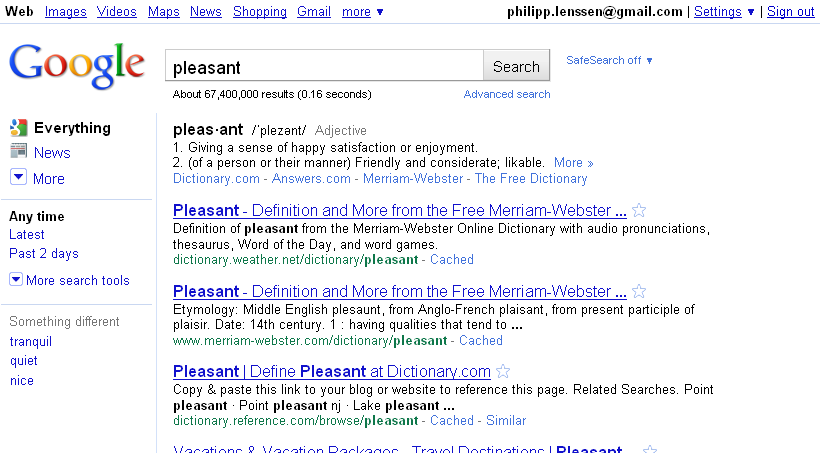
Perhaps bad news for the traffic of dictionary sites, which often don’t show the actual word definition in the search engine snippets: Google now has a onebox of their own immediately offering the definition(s) for certain words you’re searching for. Try enter e.g. pleasant into Google.com and the top will read: “pleas·ant/ˈplezənt/Adjective ... 1. Giving a sense of happy satisfaction or enjoyment. ... 2. (of a person or their manner) Friendly and considerate; likable.”
Not too long ago, Google used to link words to Answers.com in the right hand side; before that, Dictionary.com. They later switched to their own definitions page, but then had that link removed completely (it was somewhat useful to check if you were writing a word correctly, though). Now a dictionary is back for certain words – I suppose words people often want to look up in a dictionary, per Google’s usage stats – and more immediate, too. Note entering e.g. define:pleasant still works, too, and triggers a bit of a more extensive page.
[Thanks Drtimofey!]
Google Font Previewer

Google has released a tool which lets you preview and live-edit fonts which are part of the Google Font API. It’s called Google Font Previewer and features fonts like Vollkorn, Lobster, Cardo and Reanie Beanie. Once you’re done tweaking a font, you can copy the HTML snippet Google shows into your own page.
Thursday, July 22, 2010
Graphic Adventures, the Book
Early last year after reading a book about Lucasfilm, I wanted much more information on my beloved games like Maniac Mansion, Secret of Monkey Island or Loom. I ended up browsing Wikipedia for info on these titles, and that in turn gave me the idea of turning the Wikipedia articles into a book of its own. I’ve started the project with Google Docs but after hitting the usual limits, went to offline HTML editing and setting up several tools to get the formatting right, and then started a Lulu self-publishing project for this.
What I did was edit the Wikipedia articles through heavy or light rewriting, depending on what I figured the article would need to look good in book form. I then went to find additional information from other sources where I felt having more could be fun, and I added screenshots. And then I conducted interviews with many people who were involved in producing the classic graphic adventures. I interviewed creators like Al Lowe of Leisure Suit Larry, Lucasfilm’s David Fox, and Michael Bywater, who worked with Douglas Adams on the game Starship Titanic. The book took much longer than expected... the original idea after all was to merely compile an encyclopedia from Wikipedia, a book for perhaps a small but dedicated group of fans like me. But after sending myself the first draft version, I realized much more editing was needed to have something really fun.
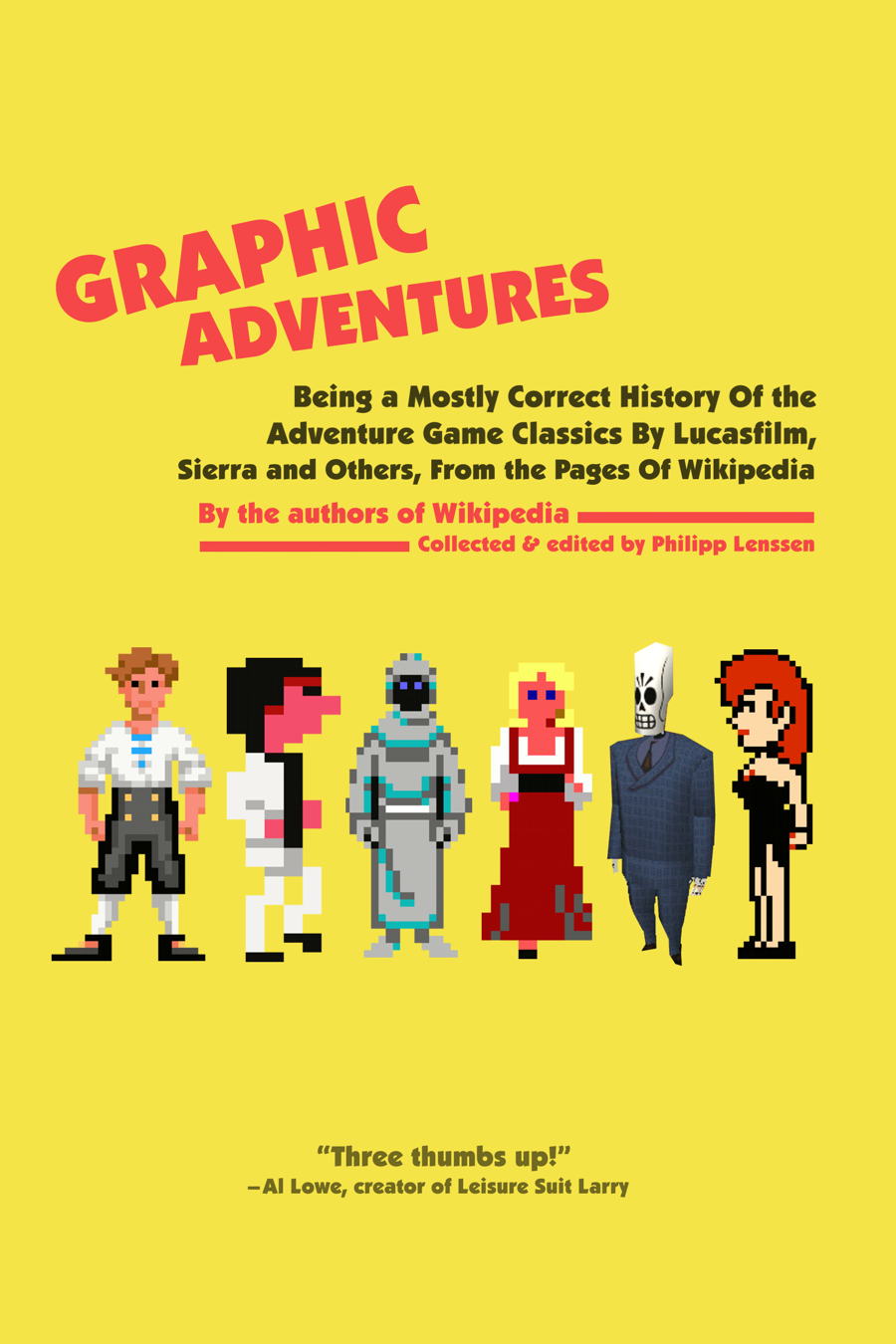
To make a long story short, the book is now available at Amazon and Lulu and also got a page of its own here! It’s called “Graphic Adventures: Being a Mostly Correct History of the Adventure Game Classics By Lucasfilm, Sierra and Others, from the Pages of Wikipedia”, and includes games like Maniac Mansion, Labyrinth, Time Zone, Space Quest, Leisure Suit Larry, Zork Nemesis, Myst, Indiana Jones, Monkey Island and Grim Fandango.
50% of the book revenues will be donated back to Wikimedia. Your feedback as usual is welcome. I’m not the author but just the editor or compiler of the info – the authors are everyone who ever edited Wikipedia, and by Wikipedia’s rules the full copy of the book can also be downloaded for free in an editable version. This book is a project of love for the genre of graphic adventures, so if you were or are a fan of that too, I hope this fan project will also give something to you.
[Thanks to all who helped with the book through Wikipedia editing, getting interviewed, providing screenshots, or giving feedback and other help!]
Wednesday, July 21, 2010
New Google Images Design

Google has revamped its image search. Instead of showing image information right below individual images in the results overview, you’ll now get just the image thumbnail. Hover over it, and the thumbnail will grow a bit in size and show its information text below it, like file name, originating site, and contextual keywords (you can also click on “Similar" for some pics to find similar imagery). Thumbs are presented border-less, and rather close to each other.
When you scroll down the results page, new images will be dynamically loaded into the page without a manual page switch (you’ll still see headers reading “Page 2”, “Page 3” and so on, perhaps to give a bit of direction). Looks like Google is getting more Bing-like here. In a blog post, they also mention their new thumbnails are larger than before.
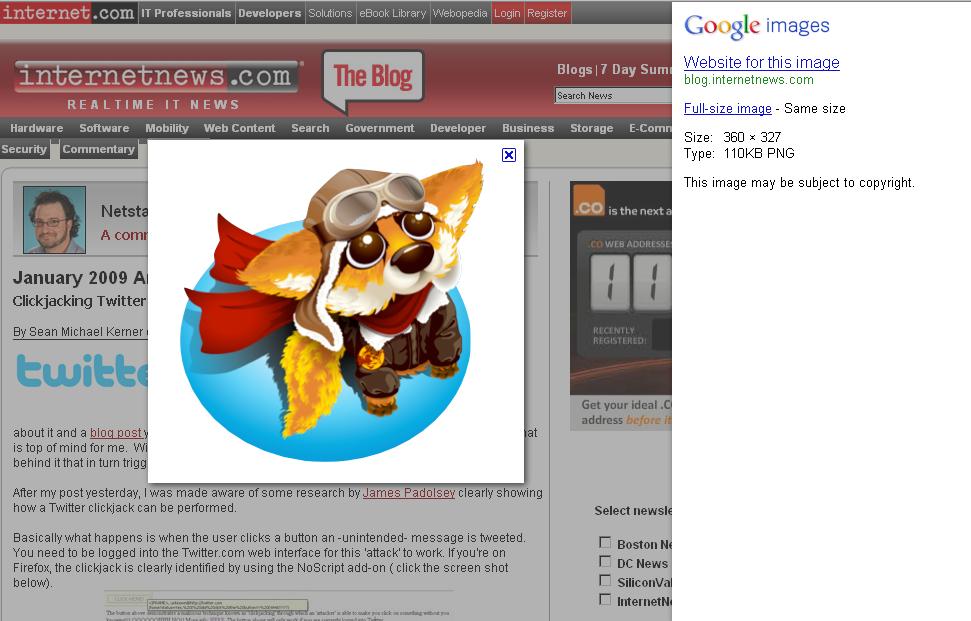
Clicking through to an individual page shows an interesting new layout as well. Many of us sometimes just want to get to the individual image, and only later (sometimes not at all) look at the context page. What Google previously did in the US – in countries like China this differed already – was to show a two-frame page, and if you clicked in the image in Google’s top frame, you’d see the big version without context, saving you from scrolling down on the origin page to look for the image.
Now what Google does is show their own side pane to the right, then dynamically overlay a big version of the image onto the slightly darkened web page it originates at. (Sometimes, an even bigger version is linked to from Google’s side pane.) An X button in the upper right of the bigger picture closes both the pic, as well as Google’s side pane. All in all, I think this is a nice solution that creates a very usable mixture of getting the origin page to show its face, but also letting the user see the big image immediately... and Google’s side pane can be closed easily, too. Admittedly, the origin page may now be getting less visitors to look at it closely than before, hard to tell.
[Update: In case you don’t like the new Google Images version – when you scroll way down to the end of the page, there is a link named “Switch to basic version”, which brings back the old design.]
Added to above changes, Google in their post says that for their advertisers, they’re “launching a new ad format called Image Search Ads. These ads appear only on Google Images, and they let you include a thumbnail image alongside your lines of text.”
For what it’s worth, the thumbnails in the results of the the old image search were often blocked here in China (often only a small portion of the pics would show). The thumbs in the new version all show up fine for now, though I’m not sure if this is perhaps a recent change in no relation and so just the usual mysterious blocking flicker.
[Thanks Juha-Matti and Morgan!]
Wednesday, July 14, 2010
Magic Artist (for the iPhone)
We created an iPhone app called "Magic Artist". What it does is paint a picture based on a snapshot you take (or a photo from your phone's album). You can see brush stroke by brush stroke being painted. Hope you like it, feedback welcome. If you don't have an iPhone, post your photo in the comments and I will run it through the app for you and post a reply!

This project started its life as a JavaScript/ Canvas prototype (I was looking into letting you enter a term, grab an image via Google Images, then draw it), but I was running into a zone where it looked like I would have had to support image uploads or provide some image proxy for the necessary JavaScript rights. The iPhone app, programmed by Mike Dougherty, solves this issue, and the nice thing is that you already have a camera at hand when you have a phone (and that Objective-C as used on the iPhone is fast).
Monday, July 12, 2010
Google’s Supposedly Easy Android App Creation Tool
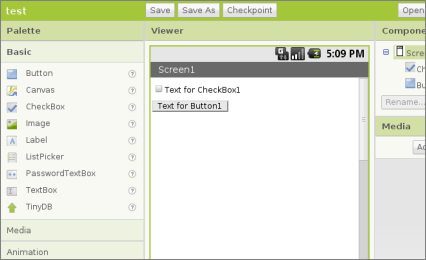
Google lets you sign up for a program called App Inventor that is meant to make Android mobile app creation easy... by getting rid of most of what’s traditionally associated with programming. Google suggests that “[i]nstead of writing code, you visually design the way the app looks and use blocks to specify the app’s behavior.” [Via Reddit.]
Google Games?
TechCrunch writes: “Google has quietly (secretly, one might say) invested somewhere between $100 million and $200 million in social gaming behemoth Zynga, we’ve confirmed from multiple sources. (...) Zynga will be the cornerstone of a new Google Games to launch later this year, say multiple sources.” Wikipedia has some information on controversies surrounding Zynga’s business methods. [Thanks Mbegin!]
Monday, July 5, 2010
Eric Schmidt On Newspapers, Mobile, and What Might Eventually Kill Google
Google CEO Eric Schmidt spoke at the Activate 2010, and the Guardian has an overview of some of his comments. Eric says “Mobile is the hottest area of computer technology ... The smartest developers now are writing apps for mobile before they write for Windows or Apple Mac desktop operating systems. Part of that is because these devices are hugely personal to us when we use them.” On how we read newspapers in the future, he says “I think it’s delivered to a digital device, which has text, obviously, but also colour, and video, and the ability to dig very deeply into what you are supplied with ... The most important thing is that it will be more personalised.”
Eric was also asked about what keeps him awake at night, and what might eventually kill Google. He said:
Almost all deaths in the IT industry are self-inflicted. Large-scale companies make mistakes because they don’t continue to innovate. For example, ’nowness’ – real-time information – is a new concept that wasn’t around when Google started, or even a few years ago. Now we integrate it into our searches.
My fundamental fear about Google is that we have the same feature as other companies, which is that we lose that edge. If you lose that edge... But I think that will be a long, long time from now. External threats are likely to come from a truly innovative company that builds itself a big enough business quickly enough that we can’t catch it. It’s not different from other industries in that sense, except that in IT it happens so fast.
The next great success will be built even faster than Google, and the one after that even faster. It’s just how it is.
[Thanks Manoj!]
What’s It Like to Work at Google?
Over at Reddit, people who work at Google are invited to tell what it’s really like there. Knowing that some replies posted in such threads may be fake, here are three comments, from the negative to the positive.
CinoBoo writes:
I’ve been there for about 5 years. You can read about the good parts anywhere, so I’ll try to offer a counterpoint based on having worked at other software companies.
A common problem is that it’s easy to become spoiled by all the perks. Several offices have developed distinct cultures of entitlement, and people whine about the quality of the fudge on the free brownies. It’s embarrassing to be around people who’ve become like spoiled children.
An engineering-specific problem there is that there’s a lot of support for operations – that is, lots of people whose job it is to keep the systems running. Engineers don’t habitually carry pagers and are on-call relatively infrequently. The plus side is that they can focus on development, get adequate sleep, and be more productive. The downside is that they can easily lose touch with what’s really going on in the data centers and sometimes even their customers. It’s a trade-off. Google is at least aware of it and uses incentive programs to entice engineers to spend time in ops roles.
Last, the company is big into “generating luck”, which means trying a whole bunch of stuff in the hopes that a few efforts will pay off. The practical net effect of this on leaf-node employees is that you can wind up working on three, four, even five or more failed projects in a row. It doesn’t actively hurt you, and in some cases they even give big bonuses to teams that worked really hard before the project was canceled. But because promotions and bonuses are generally tied to “impact”, meaning stuff that actually launches and gets used, a whole lot of people wind up spending their first 4 years there with no launches, no promotions, and no fancy bonuses. (The bonuses really are quite generous for teams who launch things that are successful.)
This may wind up being a morale issue at some point, but at the moment people aren’t so fed up that they’d quit over it. They know they can always move to a sure-fire domain like GMail or Chrome or Ads or whatever, and be assured of at least minor launches and success for a few years. It’s just that there are a lot of opportunities for startup-like success within Google, and people are encouraged to participate without being told of the potential risks and opportunity costs.
These three factors combined yield a fair percentage of employees who wind up feeling a little disenchanted, though not actively scarred the way they might be if they’d worked for 90% of the rest of the industry.
I know people are always interested in hearing the downsides, so I thought I’d be honest about the main ones I’ve encountered in my 5 years there.
That said, there are way more upsides, and I doubt I’d want to work anywhere else. I’ve turned down more offers than I can remember, but I always tell them the same thing: I have the best job in the world. (And it’s not even that great, Google-wise. But I do love my job.)
Davmre writes:
I’m not there now, but I did an internship a couple years ago. The food is nice, there are a lot of cool people, and the tech setup is pretty solid: they give you nice machines, and there are very reasonable procedures for source control, testing, code reviews, etc. Hours are flexible and there’s free beer every Friday afternoon.
At the end of the day, though, it’s a software engineering job. The vast majority of Google employees (especially those without PhDs) are essentially code monkeys: granted, very smart code monkeys working with some complicated systems, but 90% of any project is basically gruntwork, and that’s true at Google just as much as anywhere else. So if you like coding, it’s a great job.
Dmazzoni writes:
I’ve been at Google for 4+ years and couldn’t be happier.
The free lunch is nice, but what I really love is the engineering culture:
- Google has some of the best programmers in the world. Unlike some companies where they move into “architect” roles, many of them continue to just write lots of code and do great things. It’s amazing to get to work with these people and learn from them.
- The culture here really values high-quality code. The style guidelines are incredibly strict and people are rewarded for high test coverage. All code must go through code review before the revision control system will even let you check it in. Of course it’s not perfect, but it’s way better than any large company I’ve ever heard of.
Could I imagine leaving? Sure, someday - but I’d have a hard time imagining going to another large software company. I think there are a lot of small companies that would be amazingly fun and rewarding to work at, but Google is the only large company that is really that amazing for someone who loves software engineering.
Tuesday, June 29, 2010
Google.cn Homepage Now Redirects on Click (Instead of Auto-Redirecting)
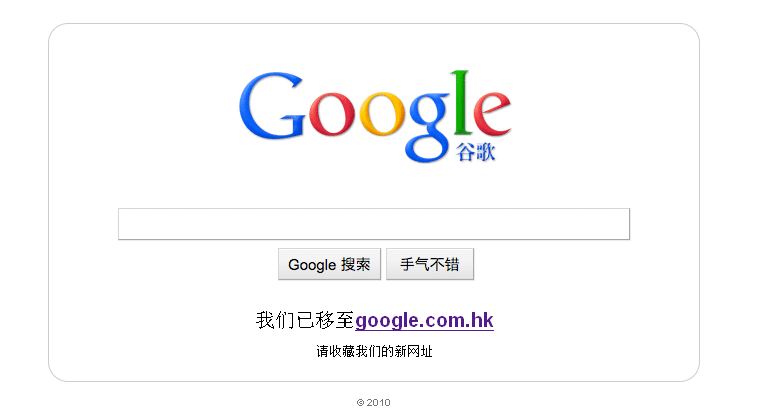
When you now go to the google.cn homepage, you’ll see a static image of a Google homepage instead of the real thing* (a Chinese explanation on the page translates to something along the lines of “We have moved to google.com.hk... Please add our site/ update your bookmarks”). Click anywhere on the page, and you’ll be forwarded to the Hong Kong homepage Google.com.hk. Previously, since some time, Google automatically redirected users to Google Hong Kong when they visited the Google.cn homepage (following a hacking incident and to escape more stringent censorship requirements, as Google suggests).
Note the redirect isn’t gone, though – it will still occur for direct search queries, like google.cn/search?q=foo. Some other Google.cn services like Google Music China (listen to lots of songs for free) are also continuing to work well, using the old domain. Also note that in China, google.com, just as before, can be accessed rather normally. However, Google in a blog post writes:
[I]t’s clear from conversations we have had with Chinese government officials that they find the redirect unacceptable – and that if we continue redirecting users our Internet Content Provider license will not be renewed (it’s up for renewal on June 30). Without an ICP license, we can’t operate a commercial website like Google.cn – so Google would effectively go dark in China. (...)
Over the next few days we’ll end the redirect entirely, taking all our Chinese users to our new landing page – and today we re-submitted our ICP license renewal application based on this approach.
We’ll see what happens to direct search redirects, then. It’s interesting also because some tools have the google.cn search queries hard-coded, for instance, the Chinese-manufactured (wifi-free) Apple iPhones you can buy here (search in its Safari Google box, and you’ll see google.cn, then google.com.hk).
[Thanks Moses!]
*Not all users on all devices may see this.
Thursday, June 24, 2010
How to Access the Internet (A Guide from 2025)
Welcome to the Internet! By following the simple rules below, you make sure your internet experience is smooth and risk free.
RealIdentity
Before signing on, please ensure you have received your RealIdentity card from local authorities. Signing on to the internet without identifying yourself has been ruled illegal in the Stop Anonymity Act of 2012, and you need to be sure to associate your comments, emails, posts and more with your real name. Setting up your RealIdentity is easy, as your computer (MacOS 15 or ChromeOS7 and higher) will automatically connect to your near-by card, verifying it with your biometric data. Do not put on shades, veils, contact lenses, and please shave before the biometric scan starts; it is advised to not perform biometric authentication after a long night of drinking.
Geolocation
The internet is split into roughly 120 country regions. This is to ensure that fitting entertaining content will be streamed to you, and that you will not find content that may be unsettling. Your Geolocation should be automatically derived from the position of your point of login – if it matches with the country provided in your RealIdentity card, you’re ready to go. Users from the US may enjoy great copyrighted US TV show reruns like Friends 2020, for instance, while users in other countries may have different tastes and preferences.
As a note for travellers: Before planning your trip to another country, make sure you apply for a Geolocation Visa in order to surf from internet cafes within that country. Alternatively, you can also jump into your cybersuit and just enjoy the other country through Google Street View 3D Plus Touch. Google Street View 3D Plus Touch will only show you those things from the other country which are legal in your location, so it’s a great, risk-free and streamlined experience to get to know other exciting cultures.
Signing Up for the Right Internet
Many content offerings depend on the internet you’ve signed up to. If you’ve signed up with the GoogleAppleAmazon Internet, then you have one-click access to a great digital library, many movies, as well as a certain approved set of homemade web pages. If you’ve signed up with the DisneyWarnerBrosViacom internet, you get a different digital library, set of movies, and approved homemade web pages.
While we cannot specifically recommend one internet over the other, the goo:// internet is great for research and mindless entertainment (talking dogs), whereas dis:// has the faster movie experience. Buffering the 50 Terabyte Feel3D movie Wall-E Jr. Returns for smooth playback and touch takes only 0.1 seconds.
Adult Content
If your RealIdentity identifies you as being over 21 years of age (30 in some countries), you are of the legal age to view adult content. Adult content includes pornography, unmoderated forum discussions, as well as political discourse, religious counter-views, artistic expression, and free speech in general. If you are below 21 years (30 in some countries), you can still discuss politics and religion with your family, and you are free to artistic expression in your own house (local terms and conditions apply).
Acquiring Your Internet Surfing License
Getting your Internet Surfing License is a necessary prerequisite in making the web safe for everyone. Before governments made the ISL mandatory, people often found themselves lost in the myriad of web sites, naively double-clicking Hit The Monkey to Win iPad ads, finding themselves spammed by pop-unders. Acquiring the license typically takes only between 2-5 days of education by your local Surf Training School. You will need to carefully prepare for the final test, in which you are required to answer simple questions like:
- What is a pyramid scheme, and do they really work?
- How do I replace the solar cells on my cyber glove?
- Why exactly is it bad for people to badmouth their governments or big companies online?
- Why is it illegal to surf without a RealIdentity card?
- In which year did Google buy the internet?
Product Placement
As you may know, product placement and paid product mentions in videos and text replaced all other forms of advertisement. Keep in mind – without such product placement, the internet as we know it could not be paid for, and would not exist! All major content providers agreed to switch to product placement instead of separated forms of advertisement in 2014, and since 2019, your government’s politicians in over 80 countries are on board too, peppering their political speeches with commercial references. This allows you to pay less taxes, so it’s a win-win situation.
Technical Jargon
Sometimes you will run across abbreviations specific to the internet. If you’re not used to this tech speak, keep this glossary within reach or load it into your brain extension module. Some key words are:
- WWW - Literally “World Wide Web”, an expression used in the beginnings of the web. It has since grown out of use but is still heard by certain older netizens. Like communism, it was an appealing yet completely unrealistic idea.
- Virus - A virus, often called “computer virus” by oldtimers, is a program entering through your brain chip and meant to stimulate your commercial desires. If you find yourself in the supermarket with the sudden urge to buy enormous amounts of a certain brand of cereals, it might be due to such a “computer virus.” These programs are clearly illegal; stimulating commercial desires via brain chips is required to be opt-in, and has a minimum legal age of 6.
- LOL - The word by word meaning of this abbreviation has been lost in history – you may remember that the 2015 CleanUpTheNet Act accidentally deleted quite a bit of archive material – though it is generally interpreted as a form of laughter (it has also replaced Bless You as a reply to when someone sneezes).
Earning Money on the Internet
There are many ways to earn money on the internet. Here is just a brief overview of some of the legal activities that can earn you a dollar or two:
- If you can get a job as a BrainWorker, you will answer simple semi-automated questions like “Is the person depicted in the photo male or female" for 8 hours a day. Answering questions like these will help you power the algorithms of datacrunching companies like Google.
- If you’re lucky to score the high-paid job of an Idea Placer, you will be entering the parts of the internet where you can add comments or enter chats, influencing others by mentioning how great a product, idea or person is. The US government alone employs around 150,000 Idea Placers around the web.
- Work as a Content Rewriter. Every day, new non-localized articles, images, news bits and user comments are entering the internet. Before they can be successfully deployed to the localized versions of the net, they need to be rewritten to meet local cultural and legal requirements. As a Content Rewriter, it is your job to know these requirements and change content accordingly, removing the unsettling parts or rewording those facts and bits which may cause cognitive dissonance with consumers.
Finding a Partner
Are you single and looking for the right partner? Based on your biometric data, your income, your location, as well as the Overall Attitude (OA) results from your Internet Surfing License, anywhere from 10-100 people in your area will be suggested to you. At first, meeting all of them may seem a tedious way to find your true love – who has the time to get to know 10 people if it cannot be assured they are definitely Mr., Mrs. or Rbt. Right? – but keep in mind: your grandmother’s generation had none of these tools available, and they still managed to fall in love.
Stumbling Upon Illegal Content
As safe as the internet is today, there may still be a time when you stumble upon content that you may deem unnecessarily unsettling. Perhaps a report of political issues in a foreign nation is shocking to you; perhaps there’s a bit of accidental nudity which slipped through; perhaps you’ve downloaded a version of a book from 1990 before a Content Rewriter had a chance to change it. Make sure you report these pages to your local internet authorities by using your OS’s Flag button. A team of internet professionals may get back to you with further inquiries if necessary, and also meet you at your home to take a look at your current internet surfing hardware setup and general mental stability.
It’s Easier Than It Seems
With so much information that seems to be necessary to take your first online steps, we don’t want you to be frightened to enter the internet. The web is a relaxing, streamlined and harmonious experience. Decades ago, when the web was invented, it was a place of free roaming chaos. Differing viewpoints, an abundance of copyright infringements, non-localized content, anonymous smear campaigns, unapproved software and more roamed the WWW. Compared to then, we’re truly lucky to be accessing the internet in 2025, not 1995. Welcome to the net, and enjoy your stay!
FCC "Quietly Holding Talks" About Net Neutrality with AT&T, Verizon, Google and Others
The Wall Street Journal writes:
Federal Communications Commission officials are quietly holding talks with phone and cable companies about a legislative compromise that would give the agency authority over Internet lines without the need to adopt a controversial proposal to reregulate Internet lines.
FCC Chief of Staff Edward Lazarus and other senior FCC staffers are holding closed-door meetings with a small group of lobbyists representing Internet providers, including AT&T Inc., Verizon Communications Inc., the National Cable & Telecommunications Association, and Internet services providers, such as Google Inc. and Internet phone provider Skype Ltd. (...)
Public-interest groups were fuming about the private meetings with industry lobbyists, however. The agency did not invite any public-interest groups to attend the negotiation sessions.
Freepress.net comments:
President Obama pledged to “take a back seat to no one” in his support for Net Neutrality. His appointee to the FCC, Chairman Julius Genachowski, promised to bring a new era of transparency to proceedings on this and other important issues.
Yet now the FCC is huddling with industry lobbyists in closed-door meetings to cut a deal on the future of the Internet.
[Via Reddit.]
Should Google Offer Ad Opt-Out Based on Categories or Companies?
Should Google give its users the chance to opt out of specific ad categories? Giannis thinks so, writing (spacing adjusted):
I’ve been so sick of watching the same ads again and again, that I’ve event tried using AdBlock. Great software, but I don’t want to block all of my ads but just the annoying ones!
You would think that by showing the same ad over 20 times in 5 minutes (that’s no exaggeration, I’ve counted them), Google would understand that I’m not going to click it anyway, but that’s asking too much I guess.
I don’t believe that there aren’t any other relevant of useful ads for me to see. Google needs to try harder.
It would be great if I could choose my ads somehow or perhaps block a specific category or vendor.
Every now and then, as webmaster of GamesfortheBrain.com, I’m getting a mail from users along the lines of “My family won’t ever look at your site again because there’s half-naked sword-yielding ladies seen to the right”. Or, “The game to the left won’t load properly, all I see is the ad banner” (sometimes the Flash-based ads seem to block other stuff). It would be great for the site if users had a button to hide those ads users don’t like (replacing them with perhaps more agreeable ones), or offer users to apply temporary company blocks or so (half a year?). This would also provide Google with statistical info on which ads might be dubious and worth checking again. All I can do in replying to those requests is say that I wish these ads weren’t there, and that I didn’t manually pick them, though that I don’t necessarily even see the same ones from my country... then ask them to tell me the domain, which I can add to my AdSense domain block list.
What do you think?
Google, Apple and Microsoft Showing Off HTML Capabilities
Google has created an (only subtly branded, mostly trying to be neutral looking) HTML5 showcase, presentation and tutorial called HTML 5 Rocks (on a side-note, this site is inaccessible from China).
What exactly HTML5 will be though in popular usage may be decided in new browser and standard battles. Take Apple’s HTML5 showcase, for instance: once you click on the demos using Firefox, a message pops up saying “You’ll need to download Safari to view this demo.” If HTML5 is meant to be a cool cross-browser things solving all our problems, then certainly it would work in more than just Safari, right? (Google too in the first version of their Chrome Experiments showcase site warned you when opening demos in Firefox – which often worked fine – that other browsers than Chrome might cause problems and be risky to use.)
Microsoft, too, is giving developers a taste of their version of the future with the latest preview of Internet Explorer 9. As Ars Technica says, it brings “support for HTML5 <video> and <audio> elements, 2D graphics using the <canvas> element, and support for embedded fonts using the WOFF standard”. Trying to play a preview video of this at the MSDN Blog, you’ll see the button message: “Install Microsoft Silverlight”. (When companies educate us about new technologies, it’s worth keeping in mind that they may be at least partially self-interested, and buttons like these are a good reminder that interests among competitors aren’t fully aligned.)
Now, if it’s true that browser companies do get together in more standards consolidation, in another area in the meantime – the one of mobile applications, including devices like the iPad – we’re seeing a move away from the open web and towards more fragmented device-specific app store programs. Let’s see if in 2015, when (hypothetically speaking) an element like Video or Canvas finally works in 99% of the browsers, mainstream consumers aren’t already accessing most of their software through walled gardens of Chrome Extensions Web Stores/ Apple Stores/ Geolocation IP-Restrictions/ Facebook apps.
Google Spreadsheets Now Working in China
When Google decided to redirect requests to their .cn (Mainland China) domain to .hk (Hong Kong), some people speculated that more of Google would now be blocked. Actually, Google.com still works as before, and at least one Google service can be added to the unblocked list now, too (though not necessarily with any causality): I’m now able to access Google Spreadsheets from within China. While other parts of Google Docs worked for me, this one I previously couldn’t access from China either.
To call this a trend would be overreaching – I don’t know what causes blocks like these to appear or disappear, and it’s worth noting that sometimes, it may also be a technology change at Google (say, moving the domain of an inclusion file) that may cause a block to disappear. At the moment, the biggest Google-related blocks still going on where I live – location within China may matter – are YouTube, Blogspot, Picasa Web Albums (with momentary lapses to normalness, if I’m not mistaken), as well as many Google Image results.
YouTube Wins Against Viacom

From the YouTube blog yesterday:
Today, the court granted our motion for summary judgment in Viacom’s lawsuit with YouTube. This means that the court has decided that YouTube is protected by the safe harbor of the Digital Millennium Copyright Act (DMCA) against claims of copyright infringement. The decision follows established judicial consensus that online services like YouTube are protected when they work cooperatively with copyright holders to help them manage their rights online.
Roger Browne in the forum comments:
This is great news, not just for Google themselves, but for users of all services like YouTube.
It basically means that YouTube is legally in the clear to host content uploaded by its users, even if that content is subject to unexpired copyright, provided the copyright holder doesn’t actively object.
Effectively it enshrines, as the default position, that this content may be hosted.
Now, if only the world’s lawmakers would give the same rights to each individual, that they give to the corporations.
Wednesday, June 9, 2010
Turkey Bans Some Google Services
IBTimes reports some doubleplusungood news for Turkish Google users:
Turkey has imposed an indefinite ban on Internet search engine Google and many of its services citing “legal” reasons.
In an official statement, Turkey’s Telecommunications Presidency said it has banned access to many of Google IP addresses without assigning clear reasons. The statement did not confirm if the ban is temporary or permanent.
Some Google services will be completely inaccessible or will take a long time to load, the statement said.
Maybe it’s time Google rolls out their “service availabiliy” page for other countries than just China?
[Thanks George R!]
23andMe Mixes Up Customer DNA Data

23andMe does relatively cheap analysis of your genetic information. Google had invested in the company before, and its co-founder Anne Wojcicki is married to Google co-founder Sergey Brin, who previously mentioned the company in his blog (“As a customer of 23andMe, I have always been excited about the product. I have found what pieces of DNA I share with various relatives ... I explored my various gene journals”). Now, the company mixed up customer samples, sending out the wrong information to 96 people, as they say.
This error meant that some people got back the wrong gender, for instance, an error easily spotted. But one customer reports of what the mix up meant for him:
Still upset I checked family inheritance and noticed my daughter shared with me, and then I checked my son’s. He was not a match for any of us. I checked his haplogroup’s and they were different from ours. I started screaming. A month before my son was born two local hospitals had baby switches. I panicked and I checked over and over. My kid’s were sitting at the computer because we all wanted to see the results. My son laughed but he looked upset. I called my sister in tears.
23andMe in a blog post says the mix-up was caused “by human error and the incorrect placement of a single 96-well plate used in processing samples." They company claims they are “adding new procedures to prevent this from happening again.”
[Via Spiegel.]
Friday, June 4, 2010
What’s Your Google Background Pic?
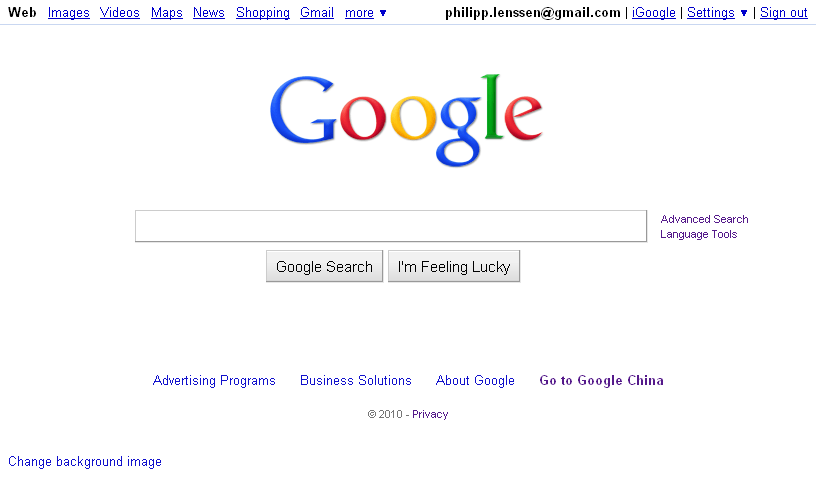
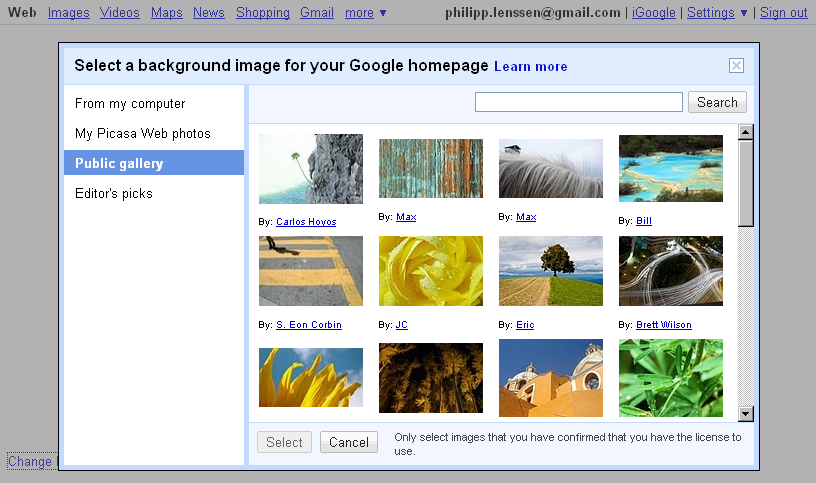
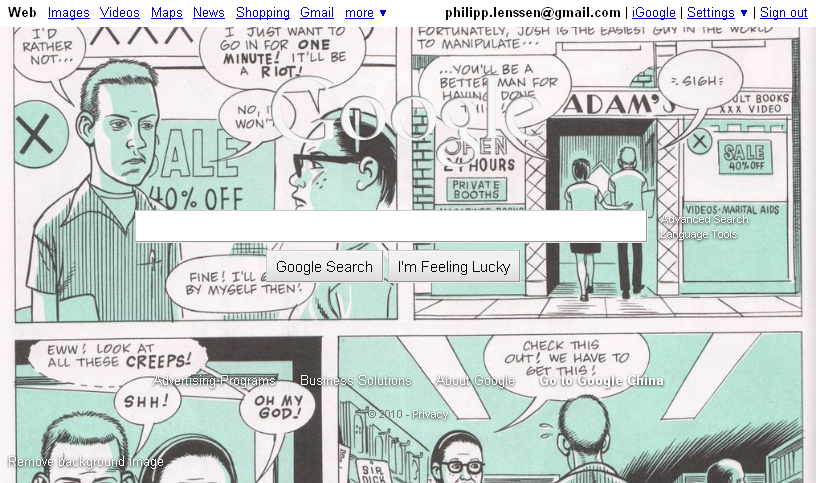
As Google’s post-fade-in homepage is almost becoming cluttered through the addition of a “Change background image” feature in the bottom left corner – one empty corner left! – I wanted to ask: What did you set your background picture to? Please post a screenshot in the comments (or explain why you don’t feel like setting a pic).
[Thanks WebSonic.nl and AlpesH! Also see Google’s post on the subject.]
Tuesday, June 1, 2010
Google Employees Say the Company Is Moving Away From MS Windows

Quote the Financial Times:
Google is phasing out the internal use of Microsoft’s ubiquitous Windows operating system because of security concerns, according to several Google employees.
The directive to move to other operating systems began in earnest in January, after Google’s Chinese operations were hacked, and could effectively end the use of Windows at Google, which employs more than 10,000 workers internationally.
“We’re not doing any more Windows. It is a security effort,” said one Google employee.
“Many people have been moved away from [Windows] PCs, mostly towards Mac OS, following the China hacking attacks,” said another.
It’s worth noting that Microsoft is also a competitor to Google, so with this move Google pays less in software licenses to their competitor, and they also manage to hurt the image of Windows by proclaiming its insecurity. Then again, when people switch from Windows to Apple, they’re still using a competitor’s product. Google Chrome OS on the other hand may not be meant to be a development machine, unless all your apps are web apps.
In other recent news, Google started to offer the more secure https to access their web search.
[Via Reddit.]
Saturday, May 22, 2010
A Google Icon Game for Pac-Man’s Birthday
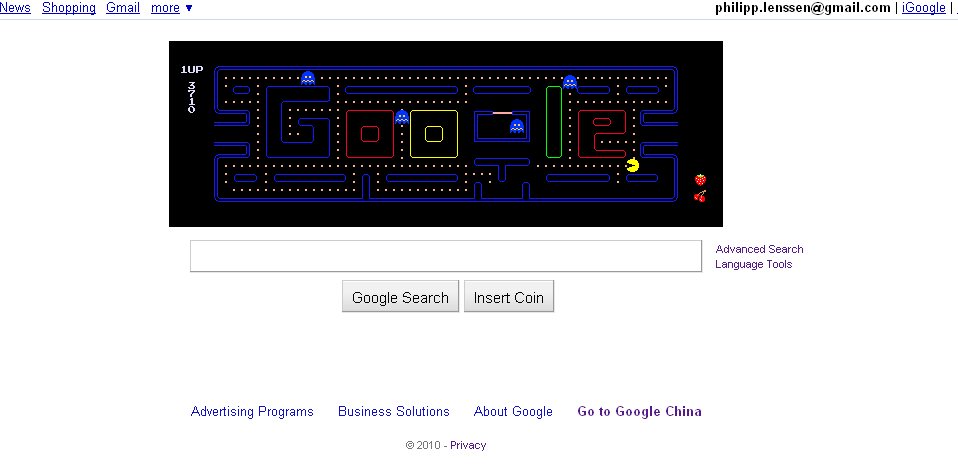
The special Google homepage doodle for today is both logo and game... namely, the classic Pac-Man with a level that contains the Google letters. The game is JavaScript, not Flash-based, by the way. Clicking on the logo didn’t take me to a search as usual, though I noticed a search link for [PAC-MAN 30th Anniversary] in the HTML source. The title text of the static logo proclaims this is “©1980 NAMCO BANDAI Games Inc.”

In the game, you can navigate Pac-Man with your arrow keys and try winning the game. And instead of the I’m Feeling Lucky button, there’s an Insert Coin button today, which will make Ms. Pac-Man enter the scene for a multiplayer mode (using the letters ADSW).

From Google’s sprites file
Wikipedia explains the history of the game:
Pac-Man ... is an arcade game developed by Namco and licensed for distribution in the U.S. by Midway, first released in Japan on May 22, 1980. Immensely popular in the United States from its original release to the present day, Pac-Man is universally considered as one of the classics of the medium, virtually synonymous with video games, and an icon of the 1980s popular culture. Upon its release, the game – and, subsequently, its derivatives – became a social phenomenon that sold a bevy of merchandise and also inspired, among other things, an animated television series and a top-ten hit single.
When Pac-Man was released, the most popular arcade video games were space shooters, in particular Space Invaders and Asteroids. The most visible minority were sports games that were mostly derivative of Pong. Pac-Man succeeded by creating a new genre and appealing to both genders.
[Thanks Wouter Schut and Hebbet! Also see Google’s blog post on this.]
Friday, May 21, 2010
Google TV
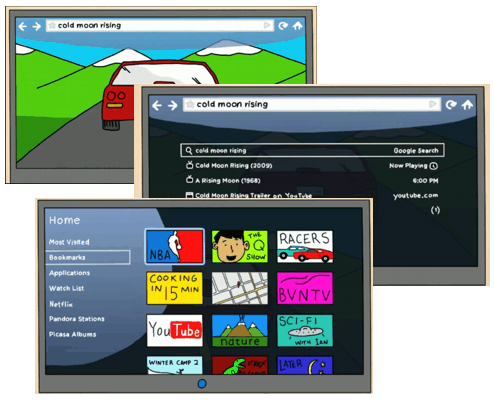
Google plans to introduce a box accompanying the TV which tries to make the TV “smarter” by letting you search for content... and browse the web, and view photo albums and more, as Google’s video introduction shows. It’s called Google TV, and as Techcrunch writes, “It will work as a new box – you’ll just hook up your existing cable or satellite box to it. All the hardware will include a keyboard and a mouse – but it will work with Android phones too. And you can use multiple Android devices to control the same TV – no more fighting over the remote.”
Techcrunch continues, “Google TV is built on Android (2.1 right now, but they’ll upgrade it later). It runs Google Chrome for the browser. And yes, it has Flash (10.1).” Some partners of Google on this, like Sony, will also release TVs with Google TV built in, Techcrunch reports. Techcrunch suspects Google may be going for “advertising to the 4 billion TV users worldwide.”
Google’s Vincent Dureau says, “The project started 2½ years ago, with a vision of a walled garden of TV-optimized web services.” (Vincent Dureau’s favorite “test materials” on TV are “Battlestar Galactica, Life on Discovery, Democracynow.org, Al-Jazeera’s newscasts (they have reporters more places than any other network); and, these days, the NBA playoffs.”)

Logitech’s box
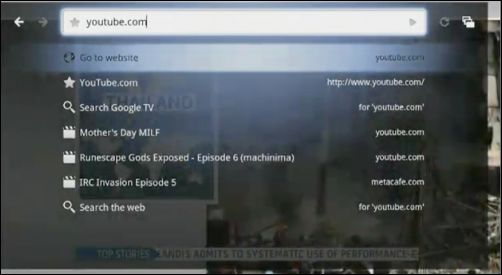
A photo Techcrunch made at the Google I/O press conference
Partner Logitech on their details page adds that their companion box will be coming “later this fall”, and that “All you need is a broadband Internet connection and a TV with an HDMI input. To take full advantage of the content search, you’ll need a satellite or cable set-top box with an HDMI output as well. And, for now, you’ll need to reside in the United States.”
Google at their blog post on the subject says, “Developers can start optimizing their websites for Google TV today. Soon after launch, we’ll release the Google TV SDK and web APIs for TV so that developers can build even richer applications and distribute them through Android Market.”
Rich, smart, optimized and easy? Search for anything then play it on your TV? That’s the nice thing about preannouncing stuff for Google... people will mostly quote from the ad material the company itself offers, which will only show the positive sides, and no quirks, shortcomings and bugs. How Google TV will fare in the wild, we might only be able to tell when we test the real thing.
[Thanks Mbegin! First image from Google’s video, second from Logitech press material.]
Thursday, May 20, 2010
Consumer Watchdog Launches Google Watch Site
The Consumer Watchdog group has launched a new site called Inside Google “to focus attention on the company’s activities and hold Google accountable for its actions”. Current subjects include “Outrage continues to grow over Google ’WiSpy’ effort”, “Google’s Schmidt passes the buck on privacy” and “Is history repeating itself with Google antitrust saga?” You can also “file a complaint” with this group if “Google has done you wrong”.
Google Chrome Web Store
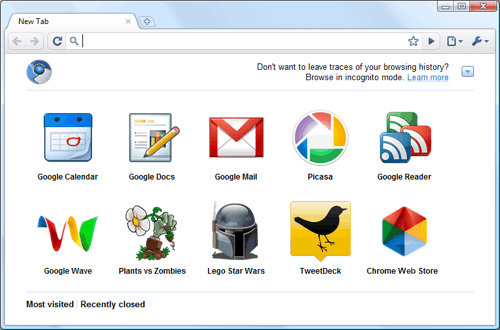
Google preannounced a Web Store project for their Chrome browser/ OS. Perhaps it’s meant to be a kind of Apple App Store for websites, i.e. more closed, more casual to choose from, perhaps more streamlined. Google writes “Google Chrome users who find web apps in the store will be able to create convenient shortcuts in Chrome for easy access. Also, developers will have the option to easily sell their apps through the store using a convenient and secure payment system.”
Google adds, “Web apps listed in the Chrome Web Store are regular web applications that are built with standard web tools and technologies. The same web applications will run in other modern browsers that support these technologies.” If Google moderates the directory, perhaps these apps could be a safer environment than the web at large, though on the other hand, apps may also request special extended permissions, which might mean less security. If such a directory takes off and would become the de facto way for developers to distribute web software (not to say that’s likely, just hypothetically speaking), it would mean incredible control for the app directory moderator... Google.
The site will be available to users “later this year”, Google promises.
[Thanks WebSonic! Image by Google.]
Google Storage
Google released an early version of a storage program called Google Storage for Developers. It’s a solution in the field of Amazon S3, where yoy pay for usage. Google writes:
Google Storage for Developers is a RESTful service for storing and accessing your data on Google’s infrastructure. The service combines the performance and scalability of Google’s cloud with advanced security and sharing capabilities. (...)
In addition, Google Storage for Developers offers a web-based interface for managing your storage and GSUtil, an open source command line tool and library. The service is also compatible with many existing cloud storage tools and libraries.
Part of Google Storage are the BigQuery and Prediction APIs. According to Google, the former handles “fast, interactive analysis over datasets containing trillions of records”, while the latter helps you “use historical data to make real-time decisions such as recommending products, assessing user sentiment from blogs and tweets, routing messages or assessing suspicious activities.”
For now, you can sign up on a waiting list.
[Thanks ArpitNext!]
Google WebM Video Format
Google unveiled an open-source, royalty-free video format called WebM on Wednesday, lining up commitments from Mozilla and Opera to support the encoding technology in their browsers and pledging to support it on its YouTube site.
“The WebM project is dedicated to developing a high-quality, open video format for the Web that is freely available to everyone,” the WebM Web page states. As expected, Google made the move in conjunction with its Google I/O conference Wednesday.
It’s not yet clear how much success Google will have spreading WebM (...)
The format is based on the VP8 technology that Google acquired from On2 Technologies in February. It also uses the Ogg Vorbis audio technology that also has its origins with On2.
For more info, check out the WebM Project FAQ. Roger Browne in the forum comments:
This is really fantastic news for video on the web and on portable devices. Google is adopting it; so are Mozilla and Opera; Microsoft is accommodating it on IE9...
What’s apple going to do? If they accommodate it, even as grudgingly as Microsoft is doing, then the video format wars are over (at least until we need a resolution greater than 16384x16384 pixels, and that’s a while away).
[Thanks Mbegin, DPic and Roger!]
Google Font Directory and API
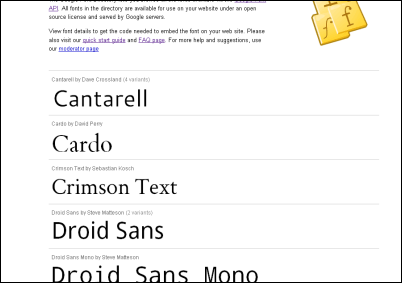
Google released a font directory and accompanying API for web developers to easily add special fonts to their pages. The idea is that Google handles the browser specific inclusion and font hosting, and you just use a single line for inclusion, plus a CSS definition, like this:
One benefit of a single hosting domain is that chances increase that your visitors already cached this file from visiting another site before, meaning there won't be a delay displaying that font on your own page. If the font is not cached yet, different browsers show different loading behavior (and keep in mind Google's font server may go down).
What's in it for Google? As a guess, generally, whenever they help make the web better, they strengthen their main platform. Besides, they may also want to use this technology for their own apps, and if other sites use it too then their own apps could load faster (because the font may already be cached). I think it's a nice new choice for webmasters.
Monday, May 17, 2010
Google to Stop Selling Nexus One via Web

Google in their blog announced they’ll stop selling the Nexus One through their own web shop, and instead focus on bringing it to stores (note they treat this as either-or decision in the long run). That is, they do so before even trying to sell all around the globe; when I check the site, I’m still getting “Sorry, the Nexus One phone is not available in your country or region.” Google now says the web shop has “remained a niche channel for early adopters, but it’s clear that many customers like a hands-on experience before buying a phone, and they also want a wide range of service plans to chose from.”
[Thanks Mbegin and Manoj!]
Saturday, May 15, 2010
Google Say They Were Collecting More Wifi Data Than They Meant To

When German authorities wanted to check the Wifi data Google collected with their Street View cars, Google say they reexamined that data and the collecting software... and found out that they were actually not just collecting Wifi network names and addresses, but also “information sent over the network”. Google says this happened by mistake; a piece of code written four years ago allegedly made it into the live software three years ago, without intent by the project leaders. Google now wants to delete this data as soon as possible, they say, and they furthermore say they “decided that it’s best to stop our Street View cars collecting WiFi network data entirely”.
This case illustrates some issues at hand. For one thing, it shows how software of a single engineer at Google can have quite far reaching privacy consequences. Google likes to build things that are scalable and which will have enormous impact; an erronous piece of code in such a system may have similarly big impact. Furthermore, the case shows that sometimes it needs authorities pressuring Google to actually make Google reexamine their approaches. Last not least, from what we can see, Google tries to make the case really transparent and public once it found out about their error. Looking at the blog post, I could imagine that Google upon finding out really wanted to make sure that there was no hiding of this, and this may be the important line between corrupt (intentionally bad) or merely flawed (unintentially bad) handling of data.
Google adds, “This incident highlights just how publicly accessible open, non-password-protected WiFi networks are today.”
[Thanks Juha-Matti!]
Thursday, May 13, 2010
Google’s "Something Different" Shows Other Items of a Group in Results
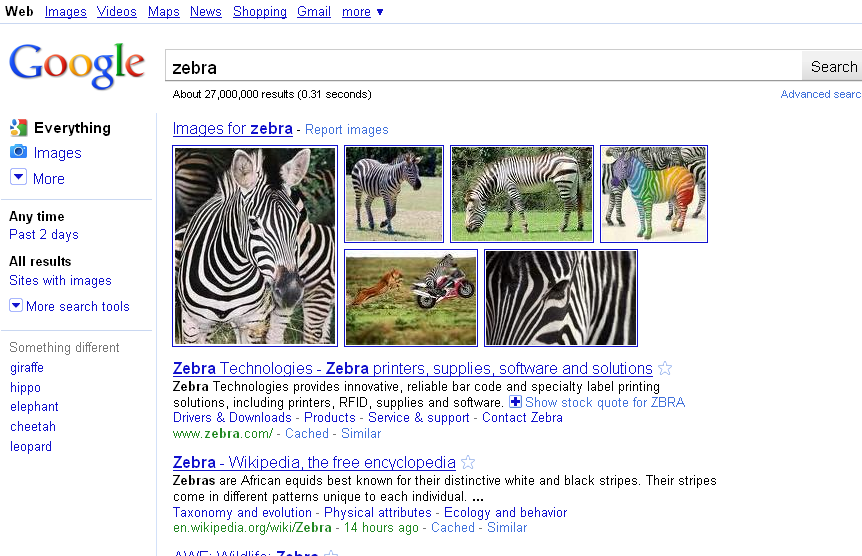
Age-old Google Sets is one of my favorite Google Labs release. You enter two or so related terms and it will find many more terms from that group it derives. It’s similar to the later released Google Squared program. Now, Google offers a search feature in the left-hand side bar titled “Something Different”, and it’s sort of like Google Sets has made it to the SERPs. Entering zebra in google.com, for instance, returns “giraffe”, “hippo”, “elephant” and more. Search for Superman, and Batman, Supergirl, Aquaman and a bunch of others show up. There’s no chance yet though to expand the small five item list to something longer, so I guess it’s back to Google Sets for that.
On a side-note, above screenshot illustrates a triple clash of approaches on Google’s SERPs: the top navigation bar offers you to search for images, the left hand navigation offers you to search for images, and the image onebox lets you search for more images (for what it’s worth, there’s even a related search at the bottom suggesting to you to search for zebra pictures, and you can also restrict results to “Sites with images”). Offering different approaches for the user to get to the same goal is nothing bad per se (you may be catering to different tastes and important different use cases), though offering options also comes with the price of clutter, so they need to be justified. Do you think there is enough justification for not one but three and more ways to get to images here?
[Thanks David!]
Verizon + Google Tablet?
Google Inc. is in talks with Verizon Wireless to develop a tablet computer that would compete with Apple Inc.’s hit iPad.
The tablet will run on Google’s Android operating system, Marquett Smith, a spokesman for Verizon, said today in a phone interview. He declined to elaborate and said the carrier will release more details later this week.
The device would accelerate the rivalry between Apple and Google, which already compete in wireless software and mobile advertising. Apple released the iPad in the U.S. on April 3 and sold a million of them in 28 days. Mountain View, California- based Google has worked to move beyond its core business of Internet search and into mobile services.
In an interview with the Wall Street Journal, Verizon’s Lowell McAdam said, “What do we think the next big wave of opportunities are? .. We’re working on tablets together, for example. We’re looking at all the things Google has in its archives that we could put on a tablet to make it a great experience.” Roger Browne in the forum comments, “Throwing together lots of features doesn’t make a great experience. And these guys wonder why their products don’t make a dent in Apple’s market share.”
[Thanks Jérôme and MBegin!]
Thursday, May 6, 2010
Google’s New Look
Google has been testing this redesign for a long time, and today it’s going live globally. You will see a new logo and a new left-hand side bar in results. The logo feels brighter and flatter than the old one, the search results have become less minimalist.
I’ll wait to see if I grow used to the side bar, I get a feeling that for the most part I will simply ignore it as I don’t need it (I rarely do a web search and then want to switch to book search, or videos; often when I want a maps or image search, I go straight to that particular search). But who knows, perhaps it’s useful for certain types of research tasks, and it does make the different Google sites discoverable for users who might not know them (though with Google’s “jazzy” onebox model, which is still in for the “everything” search, discoverability of the other sites was also provided). The UI of Google’s sub services also feels more consolidated now, part of a single search. In the meantime the crown for most uncluttered search results might have to be passed on to another site in 2010.
What do you like about the new design, and what do you dislike?
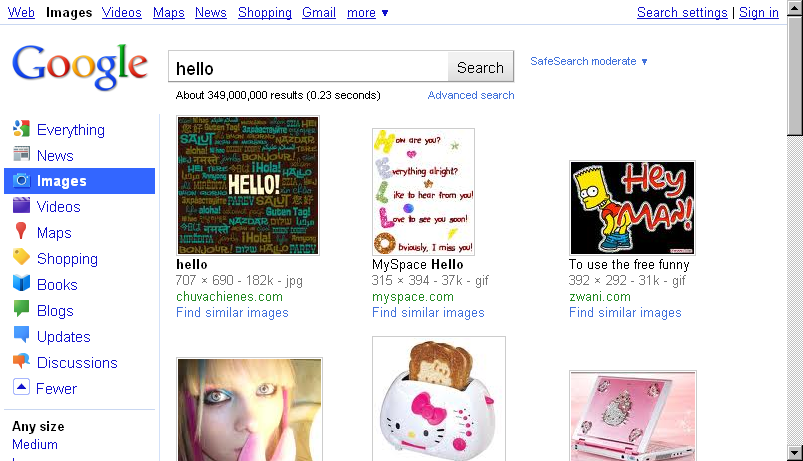
[Thanks WebSonic.nl and everyone who mailed this in!]
Monday, May 3, 2010
Google Acquiring BumpTop
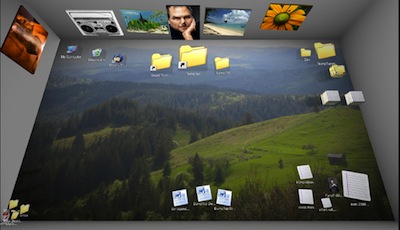
VentureBeat writes that Google is acquiring BumpTop:
BumpTop launched its first product about a year ago. The idea, as founder and chief executive Anand Agarawala described it during a talk at the 2007 TED conference, was to do away with the “same old crap” found in the layout of both the Windows and Mac operating systems. By turning the desktop into a three-dimensional space, users can arrange things more naturally and creatively. They can pile things up, just like they can on a physical desk.
[Thanks Jérôme!]
Google Android-based TV Software?
The Wall Street Journal writes:
Google Inc. is planning to introduce Android-based television software to developers at an event in May, according to people familiar with the matter.
The technology – designed to open set-top boxes, TVs and other devices to more content from the Internet – is attracting interest from partners that include Sony Corp., Intel Corp. and Logitech International SA, which are expected to offer products that support the software, these people said. (..)
[Google] is currently planning on sharing some details about the technology with more than 3,000 developers expected to attend its Google I/O conference in San Francisco May 19 and 20.
[Thanks Mbegin!]
Captcha Advertising

The illustration explains the idea pretty well: a captcha that is also an advertisement. Techi.com writes (quote linked):
Currently, there is only one company that is actively working as the middleman between advertisers and webmasters in order to display CAPTCHA ads – that company is AdCopy. (...) AdCopy is currently beta testing the new form of internet advertising. Advertisers and website owners interested in trying out the service can request a beta invite into the system on AdCopy.com by filling out a short form. The site boasts of a self-serve advertising platform that will allow advertisers to create and upload their ads directly to their system using a simple interface.
[Via Reddit.]
Tuesday, April 27, 2010
Should Gmail Alert You to Misspelled Names?

Would this make a good Gmail feature? When you address a recipient but you misspell the name, Gmail would alert you to it. Implementation-wise this could perhaps mean that if the first line contains a word that is close to the recipient’s name but a couple of letters off, it counts as misspelling. First and also last names could be handled like this.
For instance, if the recipient’s name were “Roger”, and I’d be writing “Hi Riger”, then Gmail before sending would ask me “Did you mean: Roger"? Once you answer this question with “no”, then this spelling could be added to a whitelist for that recipient (for instance, when you always and intentionally address a friend with a nickname). Admittedly Gmail already has a spell checker but perhaps an implementation like this could additionally help the (too) fast typers among us.
The Hands That Search
By Roger Browne
These hands are from an uncredited photo at viral marketing site Startup Signs:

Can you make the sign? [Via khallow at slashdot.]
Geocitisize a Site
The Geocities-izer will make any web page look “like it was made by a 13 year-old in 1996”. [Via Reddit.]
Friday, April 23, 2010
On Google Street View Car Logging Wifi Networks
The Register writes:
Google’s roving Street View spycam may blur your face, but it’s got your number. The Street View service is under fire in Germany for scanning private WLAN networks, and recording users’ unique Mac (Media Access Control) addresses, as the car trundles along.
Germany’s Federal Commissioner for Data Protection Peter Schaar says he’s “horrified” by the discovery.
“I am appalled... I call upon Google to delete previously unlawfully collected personal data on the wireless network immediately and stop the rides for Street View,” according to German broadcaster ARD.
German news site Spiegel comments (translated):
That Google’s Street View cars also record the location of mobile phone masts and Wi-Fi hotspots is known since 2008. You could already read about it in blogs and see it on Flickr.
The question: Why didn’t get anyone excited over this already in the past two years?
Perhaps because WLan-Cartography is a long known, and so far undisputed method used for determining the location
In many instances we’ve seen a flea market bargaining situation between Google and gov’t authorities, where the one party starts out very high (recording and showing a lot of data, like unblurred faces and number plates) and the other wants as little as possible (“stop the rides”). Sometimes they meet in the middle but it does slow down the speed of releases for Google features in certain countries, Germany being on the control forefront here (Google’s recent censorship and government request charts were another indicator of that).
In other news, Google Maps now added kinetic scrolling, as Google OS mentions, i.e. the map will keep moving a bit in the direction you dragged it if you release the mouse-button in mid-movement. You may be used to such more “natural” dragging behavior when you use the iPhone, for instance.
[Thanks Manoj and WebSonic.nl!]
Wednesday, April 21, 2010
Google Reveals Some Government Requests Data
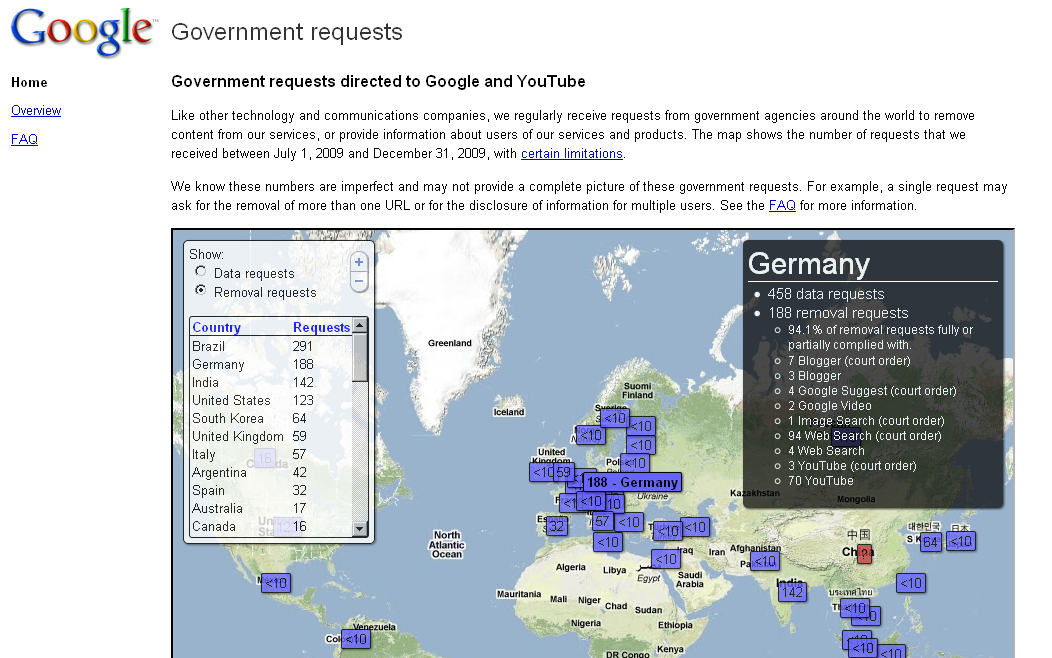
Google is starting to do a very good job at making their government involvements, like legal requests to have information removed, more transparent. A new site titled “Government requests” shows a world map along with information for many countries in regards to how many government requests were received. Clicking on a particular number breaks this down into request types, such as “94 Web Search (court order)” or “70 YouTube”. Limitations to this data apply, as Google explains.
Knowledge of the situation is the basis for analysis and coming to a conclusion as to whether something is right. Making such numbers sort of “neutrally” transparent allows citizens to further question their government if they feel the number of requests is overburdening. Google even goes as far as ordering the countries by top requests. Brazil leads the chart with 291 requests. Germany shows at number two with 188 requests. (I’d like to see an option to sort the request number relative to the population, though based on this data we could calculate that ourselves.) Worth keeping in mind that a single request may be far-reaching or rather small in scale, so the mere number of requests does not equal overall “control scope.”
When I say Google makes this data “neutrally” transparent then that’s perhaps just on the surface. Governments more often than not prefer to keep control instances in the dark, because exposed in daylight they lose some of their power. (Imagine a government’s lists of censored URLs being revealed – such censorship measures would now backfire because censored URLs might gain more prominence. Not a mere hypothetical example, either.) Implicitly I would say Google is showing they’re on the side of the countries’ citizens, i.e. the Google users. Those favoring the governments on the other hand might find some of Google’s recent moves to be less humble, less those of an underdog.
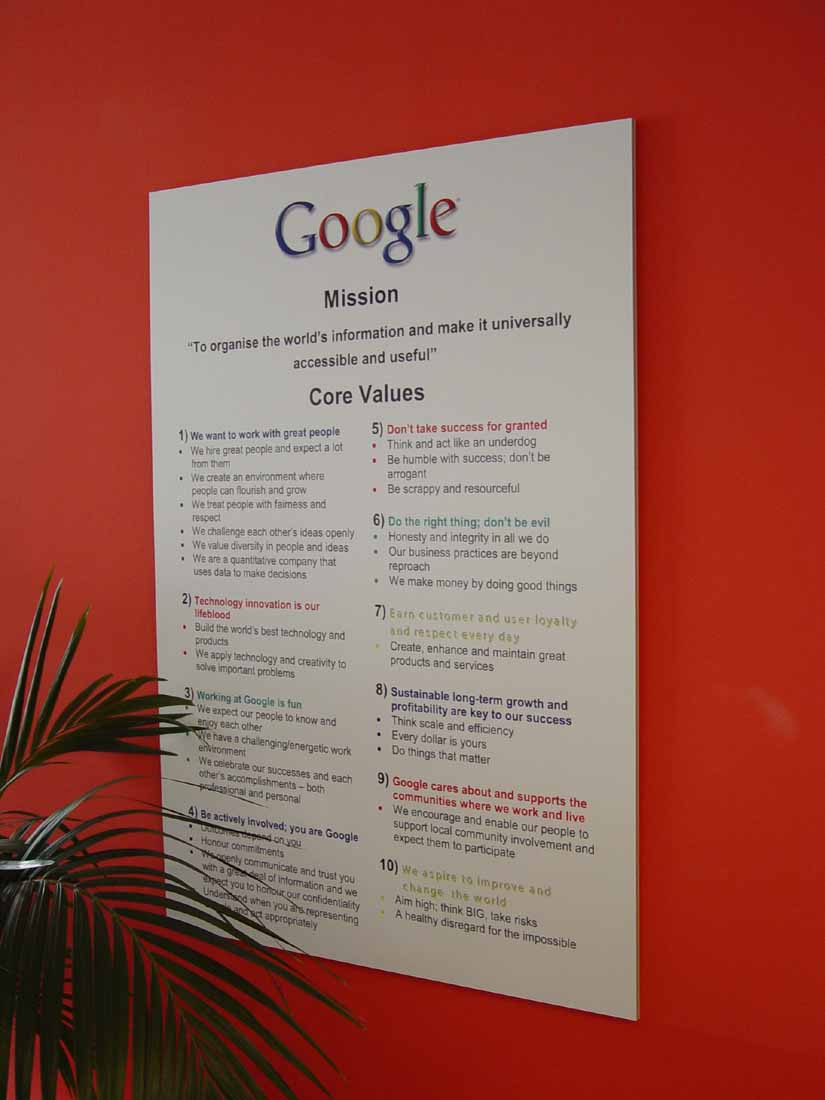
Between the lines, and this time even nearly on the record, you might also read a “help us with this issue” stance. Google says, “At a time when increasing numbers of governments are trying to regulate the free flow of information on the Internet, we hope this tool will shine some light on the scale and scope of government requests to censor information or obtain user data around the globe – and we welcome external debates about these issues that we grapple with internally on a daily basis.”
On the other hand, we need to keep in mind that there is still a long way to go before Google really makes their government involvements all transparent. For many requests in the past on that subject, I received a “no comment” answer from Google. Also, not all countries get a number plate on Google’s new map. China appears with a prominent red box with question mark on the world map, the web-infamous irony here being that the more you try to hide something the more visible it becomes. (China is also singular in Googleworld because it’s the only country receiving a special page listing which Google services are inaccessible from that location.)
Another point of interest is that Google sometimes looks as though they’re doing more than strictly requested. Take their explanations of the German censorship, for instance:
Germany’s numbers are also high relative to other countries. A substantial number of the German removals resulted from court orders that relate to defamation in search results. In addition, we receive lists of URLs from BPjM (BPjM-Modul), a federal government youth protection agency in Germany, for sites that contain content that violates German youth protection law, like content touting Nazi memorabilia, extreme violence or pornography, and we may remove those search results from google.de. Approximately 11% of the German removal requests related to pro-Nazi content or content advocating denial of the Holocaust, both of which are illegal under German law.
The BPjM is, by its name – often not by its implementations and actions – specifically aimed at youth protection; the “j” in BPjM stands for “jugendgefährdend”, which translates to “harmful to young persons.” This would imply that when I turn off the SafeSearch option in Google.de, I would get all those results in full. (Google introduces SafeSearch like this: “Many users prefer not to have adult sites included in search results (especially if kids use the same computer).”) That, however, is not the case.
Google has previous transparency efforts in this direction. For one thing, some countries link to a page showing more details when web results are amiss (the link goes to a site called Chilling Effects). And even when the fact of removal is not linked to more details – in China it’s not linked – the mere existence of a notice is already more than what much of the tech competition in search is willing to offer to users. In a way, this can all be seen as tying into Google’s general “open” strategy: requests transparency, stopping China blocking, the Google data liberation efforts, Google’s many open source projects, Google’s user data privacy dashboard. I could imagine that even within Google, motivations for these acts differ. Some may argue that for net age long term success you can grow big but never big and scary, while others may have reasoning grown out of Google’s “we should do better and be different” DNA. Also, that “free flow of information on the Internet” which Google mentions on their new site is good for users, but at the same time partially the basis of Google’s revenue. But if it’s the case that commercial and ethical interests happen to be aligned, should we even complain?
[Thanks George R.!]
Monday, April 19, 2010
Experiences Sending 14,000 Emails
The Goal: Some of the websites I create or co-create have a lot of one-time visitors – people who may like the project, but due to the type of the site don’t find much of a reason to visit it daily. Take WhatHappenedInMyBirthYear.com, or TurnMyNameIntoaFace.com, for instance, sites which you probably use once, then maybe tell your friends, but don’t look to for updates. My sites also rarely to never require registration. So at one time, my friend and I wanted to stick in a little email subscription box which says “get an email alert when we release new fun projects”, so that people who are interested in news would have a chance to hear about them.
The Subscription Form: The subscription box we picked was the most simple we could think of. Just a short sentence of explanation followed by an email input box and a submit button, as well as a small question mark leading to further help (like my snail mail address and an explanation of what the list is about, and what news will be send). Once you put in your email, you can optionally also enter your first name. Because this box was supposed to be included into a couple of websites at once, the code behind it was hosted at a general domain. It’s included like this:
<div id="funmailWrapper"> </div>
<script type="text/javascript" src="http://www.outer-court.com/funmail/include.js"></script>
The include.js file now handles the HTML creation and so on, and in case something needs to change (like the text colors, or the text of the submit button), it would only need to be changed at one location. The individual embedding site can still change layout details using an inline style on the div element. Above code appears as follows when embedded:
The Database Table: Within the database we save several values. Like first name and email. There’s also the referrer value, which notes from which site the user signed up. We also save the main language per the browser’s language header, in case it might come in handy. The date of sign-up is saved as well.
Sign Ups: The subscription list, called Funmail, was launched last year, March 2009. Since then, over 14,000 people have signed up. The list is opt-in but not double opt-in. Double opt-in means that after you sign-up, we would send you a confirmation link via email which you need to click to actually activate the subscription. However, sending emails from my server a whole lot of the time puts the email in the spam folder. That’s one reason why I switched from double opt-in to plain opt-in registrations at CoverBrowser.com, for instance. With double opt-in, so many registrations would’ve failed, perhaps because my ISP sending the mails is not whitelisted or other reasons (not knowing the exact reasons and best ways to handle this was why I went with a third-party service later on, see below).
Preparing for the First Mail: For one year we didn’t send a single email. But recently I had released a couple of sites, and wanted to let people know about SallySellsYouStuff.com. For one thing, the site didn’t yet have enough people who heard about it, but it would need more readers to allow us to create new episodes. Now the question was how to send the mails – per above, my own server doesn’t seem to be useful for that sort of thing. I asked a couple of people for opinions and finally, semi-randomly, settled for MailChimp.com.
Signing up with MailChimp: The MailChimp signup was hasslesome... submitting the registration form resulted in nothing at all, the form was simply reloaded and emptied. After trying this a couple of times, including with a proxy, and including in another browser than Firefox, I contacted their support. There was an automated long auto-reply but after that, I never heard back from the MailChimp support. Only after quite a few days did I bother to check the long auto-reply with automated help pointers again, and sure enough, in it was a link I was supposed to click “If I still needed help” or so. Only when that link is clicked will a human at MailChimp see my request. They finally signed me up, entering the signup values for me. Perhaps my location in China, or the fact I had the referrer disabled in Firefox, caused the issues, though that wouldn’t explain why it also failed in Google Chrome (which doesn’t hide the referrer value), or when using a proxy (which doesn’t show China as location).
Creating the Mail: After the troubled signup, things with the MailChimp interface worked rather smoothly. (If something doesn’t work smoothly, their support form isn’t very usable though – you always need to re-enter your user name, name and email, and solve a captcha, even though you’re already signed in.) Their app is self-explanatory most of the time and neatly designed. Their process is split up into mainly email lists and email campaigns. So you first need to upload your list, like as a Tab Separated Values file. Then, you’ll assign which values mean what.
Afterwards you create a campaign mail. I went with a plain text email instead of an HTML mail just to keep it simple, even though that means not being able to gather opening and click statistics. But I figured opening stats wouldn’t work to well anyway because they’re based on displaying an inline image with the mail, which many email clients will suppress anyway (and the click stats I didn’t need as much, because the site itself already uses Google Analytics). MailChimp handles the unsubscribes for you so you need to provide their unsubscribe link (they won’t let you handle unsubscribes yourself, in order to protect themselves from people abusing the system, i.e. webmasters disregarding an unsubscribe). The template looked like this now:
Hi [First Name],
You’ve signed up for our new projects alert at [Referrer Name]*, and today we got some news for you! There’s now a new site:
Sally Sells You Stuff at http://sallysellsyoustuff.com
... with photo gadget comics created with my neighbor in China.Please check it out, feedback is welcome! If you like the site, please tell your friends, and subscribe at the site to get an email when we release a new Sally episode.
thanks
Philipp & Sally*[Referrer URL];
----------------------------------------------
Want to unsubscribe [Email Address] from the Funmail list?
[unsubscribe link]My address: Philipp Lenssen - [etc.]
MailChimp has its own mail template language, so the first line is actually written like the following, because I needed a fallback as not every user had provided their first name to the Funmail list:
*|IF:FNAME|*Hi *|FNAME|*,*|ELSE:|*Hi,*|END:IF|*
Testing the Email: MailChimp has several tools to let you test your email. After all, you can’t undo sending the emails if you realize there’s some bug in your template. For one thing, you can view an immediate preview of the mail in your browser. (The template language contained a bug which omitted a line break in a crucial position, but MailChimp support suggested a workaround to me. Another double-encoding bug, which garbled the place holders in the email preview, remains unfixed.) You can also send yourself a test mail. You can run the Delivery Doctor, a program which will test your campaign with common spam filters to report on potential problems. Last not least there’s Inbox Inspection, which produces dozens of screenshots of what your mail looks like. Inbox Inspection isn’t cheap: 3 tests cost you $14, even when you’re already paying to send out the campaign. Talking about costs...
MailChimp Costs: Here’s an overview of some of the pre-paid pricing options of MailChimp (there are also monthly subscriptions options):
| You pay... | you’ll get | cost per mail |
|---|---|---|
| $9.00 | 300 Credits | 3 cents per email |
| $100.00 | 5,000 Credits | 2 cents per email |
| $250.00 | 25,000 Credits | 1 penny per email |
| $750.00 | 75,000 Credits | 1 penny per email |
| $1,000.00 | 200,000 Credits | 0.5 cents per email |
| $2,500.00 | 500,000 Credits | 0.5 cents per email |
Sending the Mail After hitting the send button at MailChimp, feedback will come back nearly instantly. In my case with the Funmail list, several people marked the mail as spam, and I could see the spam counter go up. It’s possible that some people have forgot that they’ve signed up for the list, perhaps it’s also not too common to get a mail from one domain (say, you’ve signed up at Bomomo.com) with news about another domain (in this case, SallySellsYouStuff.com), so some people thought it was spam even though we had an opt-in process (if only single opt-in, due to the limitations of my server). An automated MailChimp alert quickly let me know that if my spam rate would go far beyond the “normal” 1 in 1000 (which sounded quite low to me), then ISPs might blacklist that mail, and it would immediately land in the spam folder of recipients.
Another feedback are the bounces. Bounced emails are handled by MailChimp and “hard” bounces will be automatically unsubscribed from the mailing list for you. And then there’s normal, manual unsubscribes, for which you’ll also see the unsubscribe reasons.
Handling Feedback: I had directed replies to the Funmail list mail to mail@sallysellsyoustuff.com, which in turn was forwarded to my main Gmail account, and there filtered into a folder (i.e. labelled). A lot of auto-vacation replies came in. A lot of auto-spam mails came in. (Does that mean spammers sign up for such subscription list just so that can send you an auto-reply? I guess so.)
If you ever want to send out a bunch of emails at once, perhaps above experiences were useful to you as a pointer. If you already sent out such campaigns before, which tools did you use and how happy were you with the results?
Above Google’s Webmaster Guidelines and Elsewhere: "Make your website Google Chrome-friendly"
Google at the top of their webmaster guidelines page – which instructs people on what to do to be found, indexed and ranked by Google search – added a blue box reading:

Turns out this box (worded in a way that gives preferential treatment to Google’s own software) is now stamped across a whole lot of Google’s webmaster help pages – the particular appearance on a page about Google’s rankings, which I guess Google wants to appear neutral, causes an odd juxtaposition.
[Thanks Zoran!]
Thursday, April 15, 2010
Google Follow Finder for Twitter
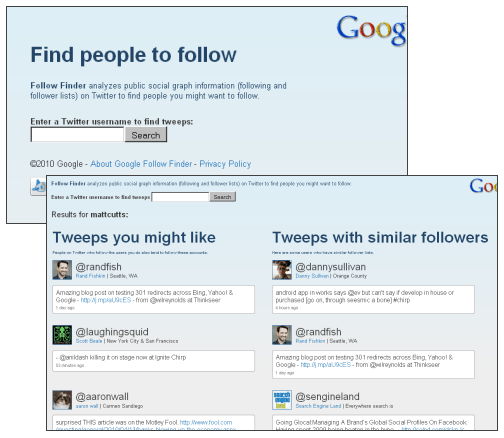
A Google Labs experiment called Follow Finder analyzes following and follower lists on Twitter “to find people you might want to follow.” Entering mattcutts, for instance, finds randfish, laughingsquid, aaronwall and dannysullivan. [Thanks WebSonic.nl!]
Wednesday, April 14, 2010
Google to Open Source VP8 Video Codec?
Ryan Lawler at NewTeeVee.com gives a background on the politics and fights behind video codecs. He says “Google will soon make its VP8 video codec open source, we’ve learned from multiple sources ... Google has controlled the VP8 codec ever since it finalized the acquisition of video codec maker On2 Technologies in February. ... The move comes as online video publishers are gravitating toward standards-based HTML5 video delivery, bolstered in part by the release of the iPad. However, that acceptance has been slowed by the fact that the industry has yet to agree on a single codec for video playback, with some companies throwing support behind Ogg Theora and others hailing H.264 as the future of web video.”
[Thanks AGift2theSilentNumber!]
Google’s Chief Java Architect Criticizes Direction Java Has Been Taking
PC World reports that Google’s Joshua Bloch at a conference said the Java platform has “appeared rudderless for the last few years”. A malaise has fallen over the community “and the end is not in sight,” with “Technical and licensing disputes over the last few years” having been highly detrimental. “They’ve sapped the energy of the community and caused plenty of bad press”. [Via Reddit.]
Saturday, April 10, 2010
Site Speed Influencing Google Ranking
Google announced that a website’s speed is now one of the many signal’s used to determine that site’s ranking in Google results. Google in their blog post suggests a couple of tools with which you can test your site speed – which they define as “how quickly a website responds to web requests” – including the Webmaster Tools → Labs → Site Performance app. (Ironically, some of the speed optimizations that app will suggest revolve around minimizing DNS lookups... caused by external resources like Google’s own Analytics tracker script.) Google Code Speed offers more resources.
On the surface this signal seems to make sense. In the hypothetical case where two sites are of equal quality in all points but one is slower, then it’s better for the user if they’re served the faster site on top of the rankings. It will save searchers time and avoid frustration. Then the real question is how strong this signal should be factored in the overall ranking mix... because in the opposite hypothetical case where one site is faster but delivers slightly worse quality, and another is three seconds slower but delivers great quality and perhaps makes its point 10 times as quick, users wouldn’t fare well being served the faster site on top. Google suggests that the speed signal is not a very strong one. It’s one of the “200 signals” affecting “fewer than 1% of search queries”, Google’s Matt Cutts suggests, adding “you don’t need to panic”.
Another question is whether Google will really understand perceived speed, which is not plain page loading speed. As an example, I have one site where I preload a lot of images so that the page can load in the background while the user starts looking at the first couple of images... I did this purposefully so that when the user scrolls down, other pictures are now already loaded and no further paging is needed. On Google’s webmaster tools speed chart however, that approach is said to be slow. Whether or not the approach I’ve taken with that site indeed increases perceived speed I don’t know, but I’d argue it’s at least an example of a page where that is debatable, which leads me to wonder if Google really understand when perceived speed differs from plain page load speed.
As a side effect, Google’s announcement adds a more constructive field to SEO: optimizing a client’s site loading speed. SEO in a way was always about usability and accessibility and site quality... because unless you resort to spamming, improving your site’s quality should be one of the most important parts of getting more links to it, which increases your ranking. And a part of a site’s quality was always its serving speed. Google’s new statements just make this issue within the quality mix more explicit. One issue I wonder about though: if a site’s slowness were already causing it to get less backlinks due to its resulting lower quality, then wouldn’t it now be penalized twice by Google – once by the backlinks count signal, and once by the site speed signal? If we again take the hypothetical case of two identical sites where one is slower though – then wouldn’t the faster of the two sites already have a higher PageRank because people are more likely to link to it?
[Thanks ArpitNext!]
Thursday, April 8, 2010
Checking the Google Page Count of a Comment to Identify Spam

George R. in the forum had an interesting idea to catch spam: check how many results a phrase search for whatever the commenter posted are found in Google. If something yields a lot of hits in Google’s index, then it’s likely to be pasted in many places, thus – so the idea at least – spam. (For instance, a lot of spam is phrased in the unspecific style of “Interesting blog, thank you, I will look for more on this topic”... unfortunately, a couple of real comments may also be phrased this way, which is probably why spammers resort to this.)
Now, there might be some caveats to protect against – like a legitimate quote, which could be identified by its quote signs (though this wouldn’t catch unquoted proverbs being used), or very short comments – but otherwise this sounds like an interesting idea. What do you think?
[Thanks George!]
Law Suits Around Google Book Scanning, Gmail Buzz
Two law suits or future law suits are currently up for Google.
In one, as Business Week writes, Google “was sued over claims its Buzz social- networking service violated the privacy rights of users of the company’s Gmail service ... The case, which seeks class action, or group, status was filed by Barry Feldman of New York, who claims Google automatically activated the Buzz program from his e-mail account”.
Also, as the New York Times writes, “On Wednesday, the American Society of Media Photographers and other groups representing visual artists plan to file a class-action lawsuit against Google, asserting that the company’s efforts to digitize millions of books from libraries amount to large-scale infringement of their copyrights.”
[Thanks Juha-Matti!]
Thursday, April 1, 2010
Google April Fool’s Jokes in 2010
Please join our forum thread where all Google-related April Fool’s features are collected! [Thanks everyone!]
Tuesday, March 30, 2010
Australian Censorship: Google Vs. The Communications Minister
By Roger Browne

In a radio interview on 29 March, Australia’s communications minister Stephen Conroy had some strong things to say about Google:
“Notwithstanding their alleged ’do no evil’ policy, they recently created something called Buzz and there was a reaction. People said ’well, look aren’t you publishing private information?’,” Senator Conroy said.
The founder of Google said the following: ’If you have something that you don’t want anyone to know, maybe you shouldn’t be doing it in the first place’. He also said recently to Wall Street analysts: ’We love cash’.
So when people say ’shouldn’t we just leave it up to the Googles of this world to determine what the filtering policy should be?’ - make no mistake, anybody who wants to go onto Google’s sites now and look up their filtering policy will actually find they filter more material and a broader range of topics than we are proposing to put forward.
I’ll back our Parliament to stand fast on these issues from Google.”
Google and the Australian Government haven’t been seeing eye-to-eye recently on matters relating to censorship.
In January, Google said that it would not “voluntarily” comply with the Australian government’s request to censor YouTube videos in accordance with the government’s broad content rules.
Communications Minister Stephen Conroy referred to Google’s censorship on behalf of the Chinese and Thai governments when he made his case for Google to impose censorship in Australia.
A week later, Google caved. In response to a complaint that a page on Encyclopedia Dramatica violated the Australian Anti Discrimination Act, Google “removed the website from google.com.au”.
The government recently invited submissions relating to its proposals for mandatory internet filtering, and the submissions have now been published. Google submitted a 24-page document (pdf), in which Google made the following points:
- “Our primary concern is that the scope of content to be filtered is too wide. At Google we have a bias in favour of people’s right to free expression. While we recognise that protecting the free exchange of ideas and information cannot be without some limits, we believe that more information generally means more choice, more freedom and ultimately more power for the individual.”
- “Some limits, like child pornography, are obvious ... Google, like many other Internet companies, has a global, all-product ban against child sexual abuse material, which is illegal in almost every country, and we filter out this content from our search results and remove it from our products.”
- ”... a mandatory filtering regime (...) is a massive undertaking which could negatively impact user access speeds. Furthermore, the filtering of material from high-volume sites (for example Wikipedia, YouTube, Facebook, and Twitter) appears to not be technologically possible, as it would have such a serious impact on Internet access. There appears to be an expectation that such sites would voluntarily agree to remove or locally block all content judged to be RC [Refused Classification] under the Government’s proposed system.”
- “YouTube is a platform for free expression. We have clear policies about what is allowed and not allowed on the site. For example, we do not permit hate speech or sexually explicit material, and all videos uploaded must comply with our Community Guidelines. Like all law-abiding companies, YouTube complies with the laws in the countries in which we operate. When we receive a valid legal request like a court order to remove content alleged to violate local laws, we first check that the request complies with the law, and we will seek to narrow it if the request is overly broad. Beyond these clearly defined parameters, we will not remove material from YouTube.”
- “Our primary concern is that the scope of content to be filtered is too wide (...) RC is a broad category of content that includes not just child sexual abuse material but also socially and politically controversial material – for example, educational content on safer drug use – as well as the grey realms of material instructing in any crime, including politically controversial crimes such as euthanasia. This type of content may be unpleasant and unpalatable but we believe that the Government should not mandate the blocking of information which can inform debate of controversial issues. Our services, particularly YouTube, contain a substantial amount of material related to controversial issues, some of which could be rated as RC. The Government’s policy for filtering represents a direct threat to content uploaded by YouTube users and we are committed to advocating on behalf of our users and their right to express their views and gain access to information.”
- “Exposing politically controversial topics for public debate is vital for democracy. Homosexuality was a crime in Australia (...) Political and social norms change over time and benefit from intense public scrutiny and debate. The openness of the Internet makes this scrutiny and debate all the more possible, and should be protected.”
On the assumption that internet filtering is likely to be introduced, Google then proposes in considerable detail how to minimise the harm it causes. Google proposes prior notice to the site owner, a period to implement takedown before filtering is imposed, an appeal process, regular review and audit, and transparency as to how much content of each category has been blocked.
Throughout the proposal, I get the impression that Google is particularly concerned about the effect of mandatory internet filtering on YouTube. One blocked video would force access to the whole of YouTube through a proxy server, with massive performance implications.
Google Blocked For At Least Some in China
Google results were blocked for (at least) some in China for the past few hours... this includes the search results of all types of Google country domains (e.g. google.de just as much as google.com or google.com.hk) but not the homepage of the service itself, and not an app like Gmail or Google China Music. Casual users of Google may now feel like going elsewhere for results, whereas tech savvy users could use (potentially slower) foreign country proxy server apps or set up their own solutions via e.g. the Google REST API on their site or localhost, or look for third-party sites delivering Google results. If this state continues (and it may be temporary or locally only) then it’s quite a bit less than Google’s self-proclaimed 90% accessibility of pre-google.cn results of 2005... though the long-term effects of having escalated the issue might be different.
[Hat tip to Anon and TomHTML!]
Update: Things work again now. Financial Times first quoted Google saying it was due to a “gs_rfai” parameter in Google’s results URL – however, Google later said that “Having looked into this issue in more detail, it’s clear we actually added this parameter a week ago. So whatever happened today to block Google.com.hk must have been as a result of a change in the great firewall.” Google at their service availability page write “Many users in mainland China had trouble accessing Web Search, Google News and Google Images on .com.hk today. As we were investigating and before we made any modifications to our services, service availability began to improve. Within several hours, normal service was restored in mainland China for these properties without any changes introduced by Google.” [Thanks Xujie, Hebbet and George!]
>> More posts
Advertisement
This site unofficially covers Google™ and more with some rights reserved. Join our forum!